

Under the latest government regulations, businesses are now required to issue electronic invoices for every sales transaction. This makes reporting revenue and profits more transparent and accurate, while also ensuring full tax compliance. However, for many sellers, especially those operating on multiple e-commerce platforms like Shopee, TikTok Shop, and Lazada, manually issuing invoices for dozens or even hundreds of orders daily is a significant workload.
Understanding the difficulties sellers face, GTG CRM has developed an automatic electronic invoice generation feature, freeing you completely from this time-consuming manual task. The system automatically creates invoices as soon as an order is confirmed for shipment, ensuring 100% accuracy with actual order information. You only need to set it up once and then can fully focus on selling and customer service.
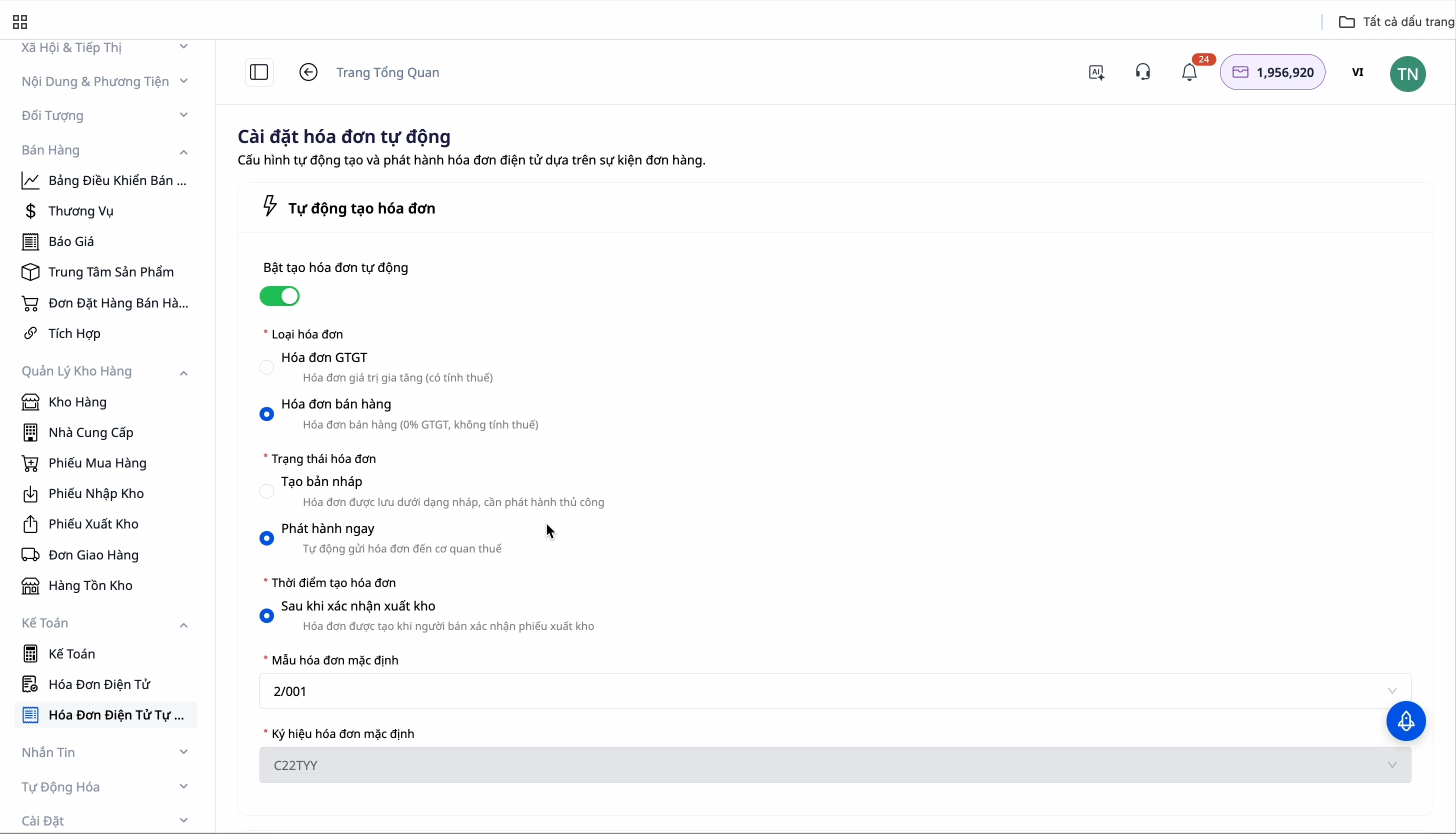
GTG CRM's Automatic Invoice Generation Feature
GTG CRM offers complete automation for the electronic invoice generation process with two main features:
Automatic Original Invoice Generation: After you confirm an order for shipment, the system automatically creates an electronic invoice with complete product details, quantities, and values. You can choose to create a draft for review before issuing, or issue it immediately to save time.
Automatic Adjustment Invoice Generation: When a customer returns part of an order (e.g., bought 3 items but keeps only 2), GTG CRM automatically generates an adjustment invoice that matches the actual quantity returned. This helps you accurately report and manage inventory correctly.
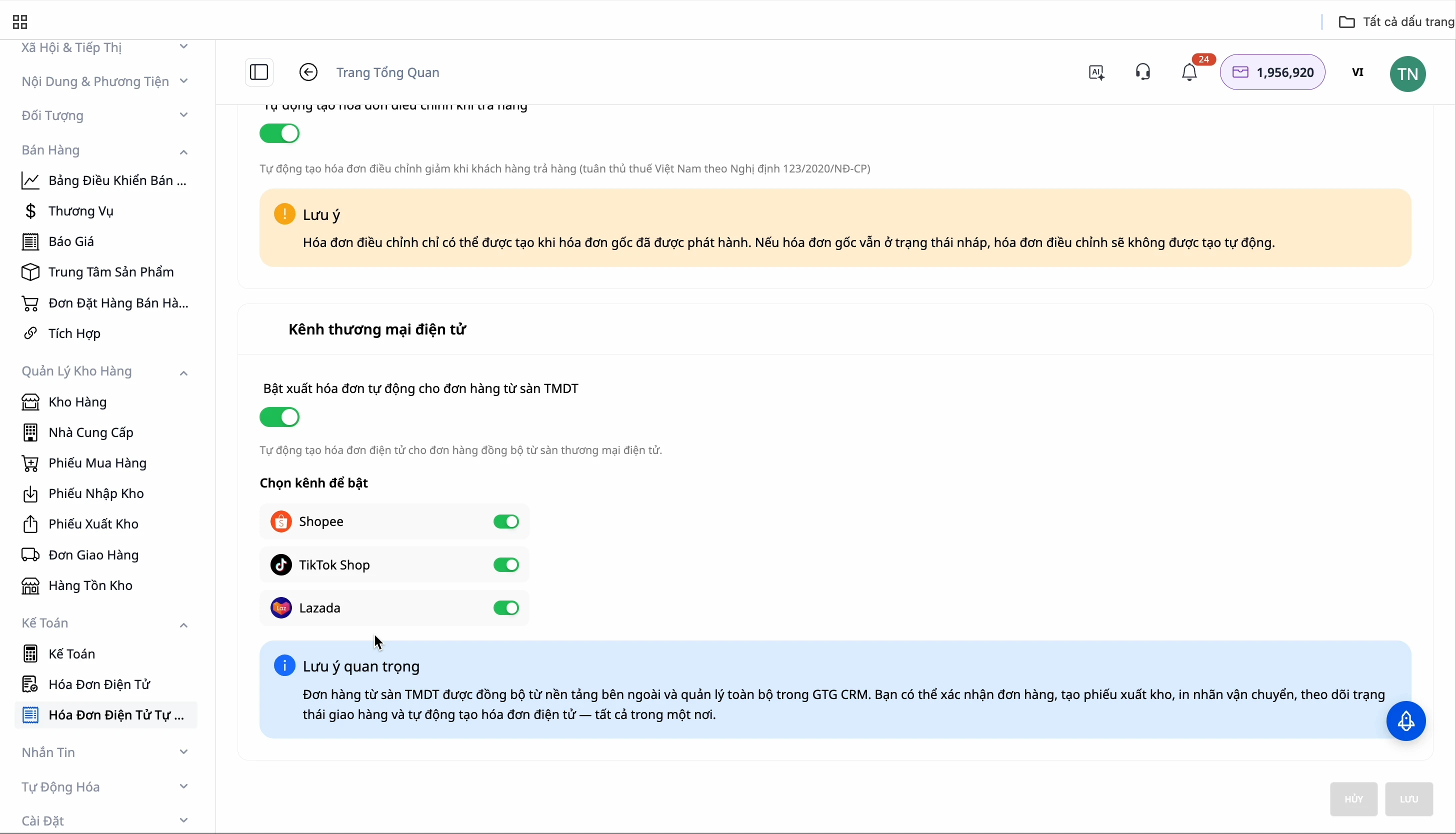
The system fully supports the three most popular sales channels today: Shopee, TikTok Shop, and Lazada.
Setup and Usage Guide
Step 1: Set Up Automatic Invoice Generation
Navigate to the electronic invoice settings section in GTG CRM. Here, you will find two main settings: "Automatic Invoices" and "Automatic Adjustment Invoices."
To activate the feature, simply click the green button next to the sales channel you wish to apply it to: Shopee, TikTok Shop, or Lazada.
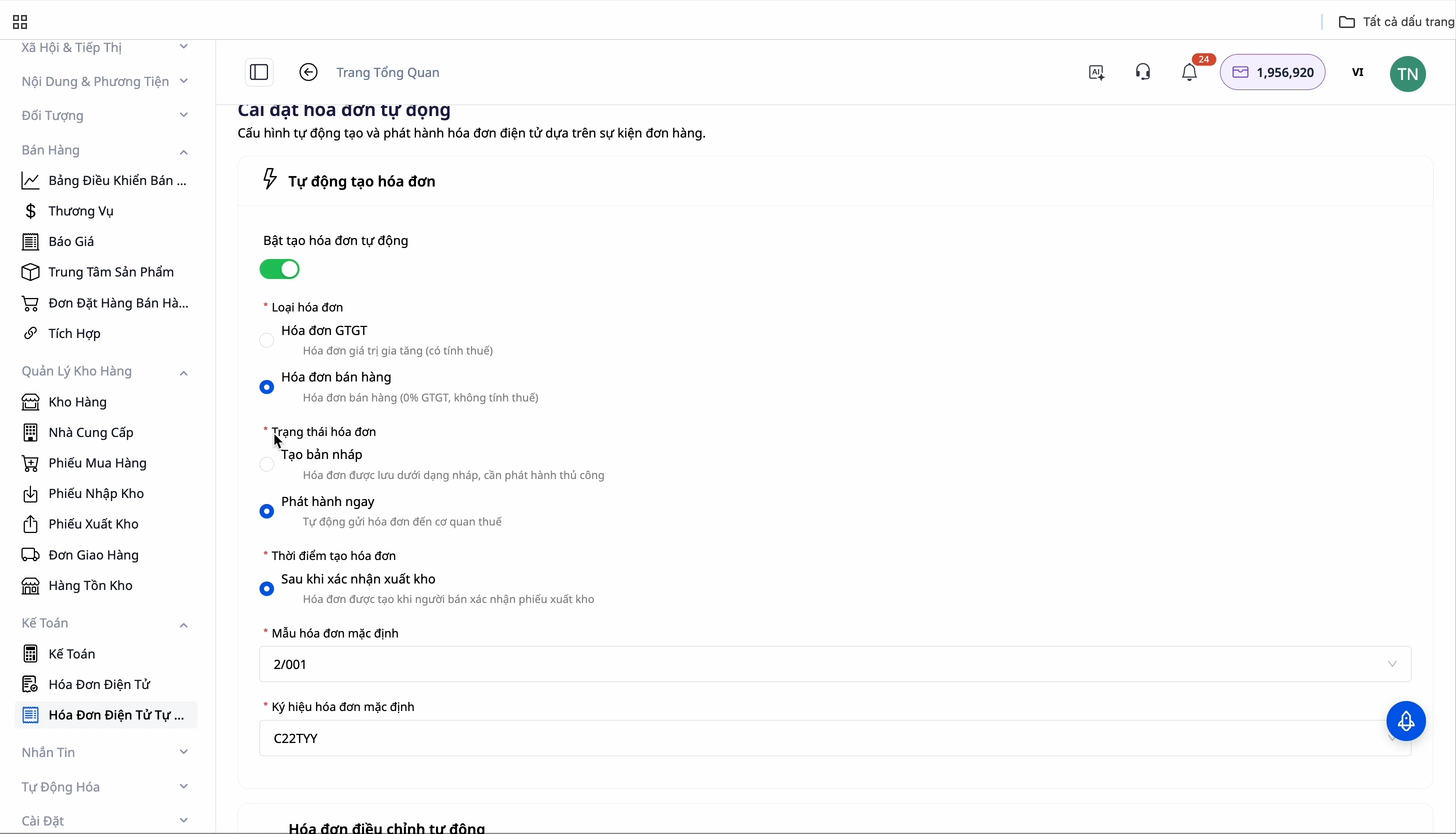
Important Note: If you have already authorized your e-commerce platform to automatically issue invoices, do not enable this feature on GTG CRM, as it will lead to duplicate invoices.
Step 2: Configure Invoice Information
After activation, you need to configure the basic invoice information:
- Invoice Status: Select "Create Draft" if you want to review before issuing, or "Issue Immediately" for full automation.
- Invoice Creation Time: Defaults to immediately after shipment confirmation.
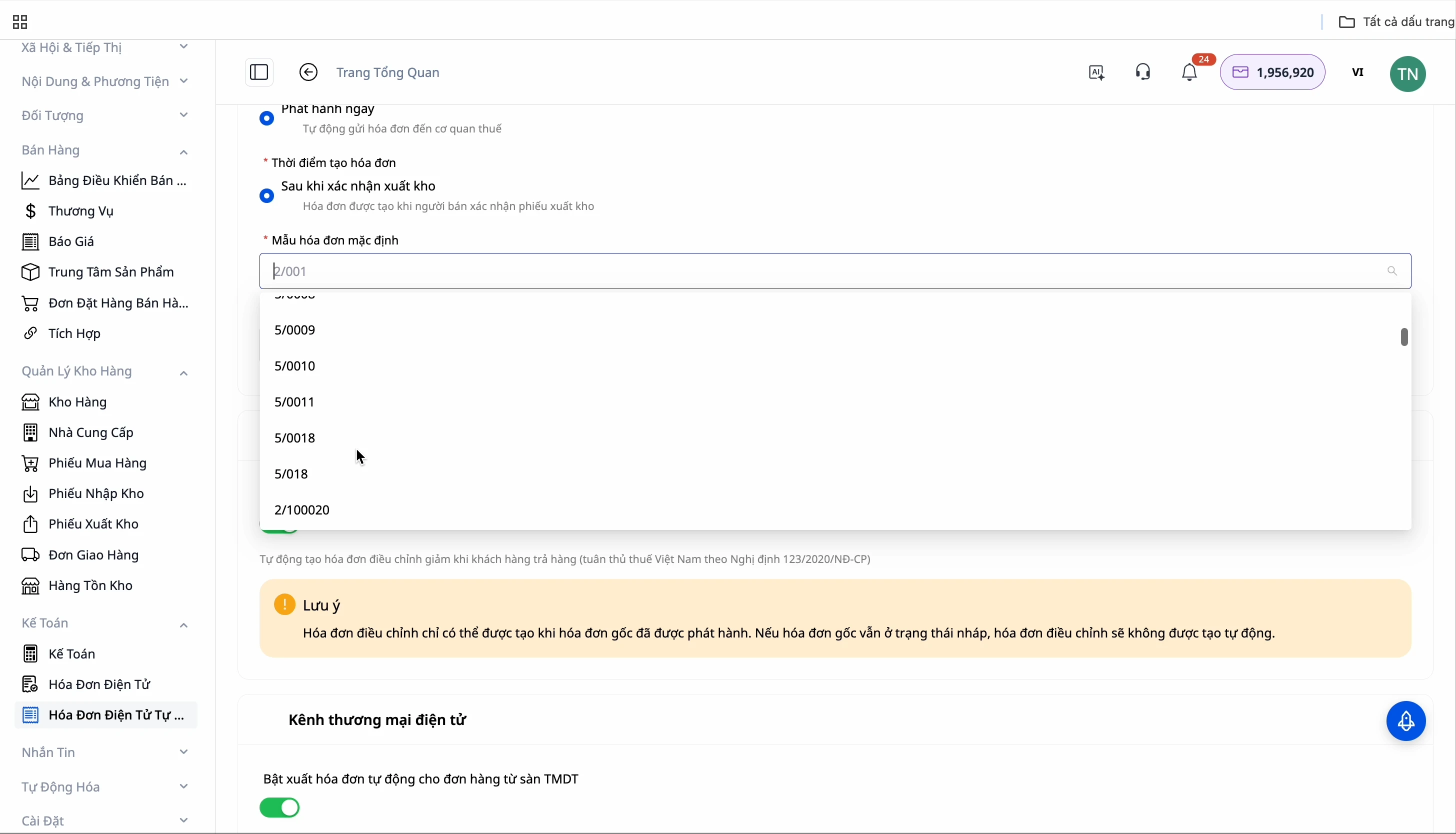
- Invoice Template and Serial Number: Choose a template that suits your reporting needs.
Step 3: Order Processing and Automatic Invoice Generation
When new orders from e-commerce platforms sync to GTG CRM, they will be in "On Hold" status. You need to change the order status to "Waiting for Pickup" or "In Transit" to trigger the process.
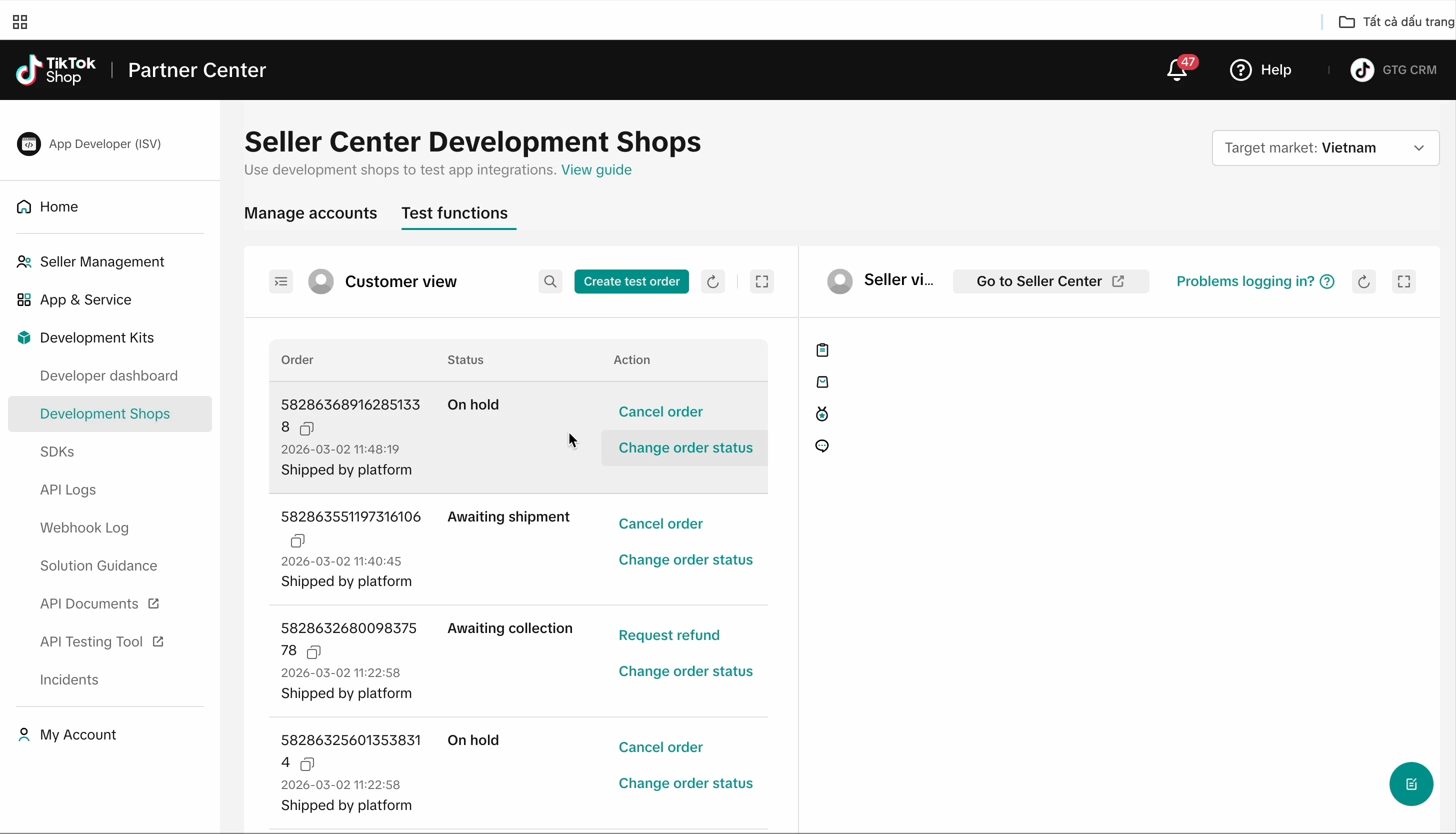
When you change the order status to "Awaiting Delivery," the GTG CRM system will automatically create the order.
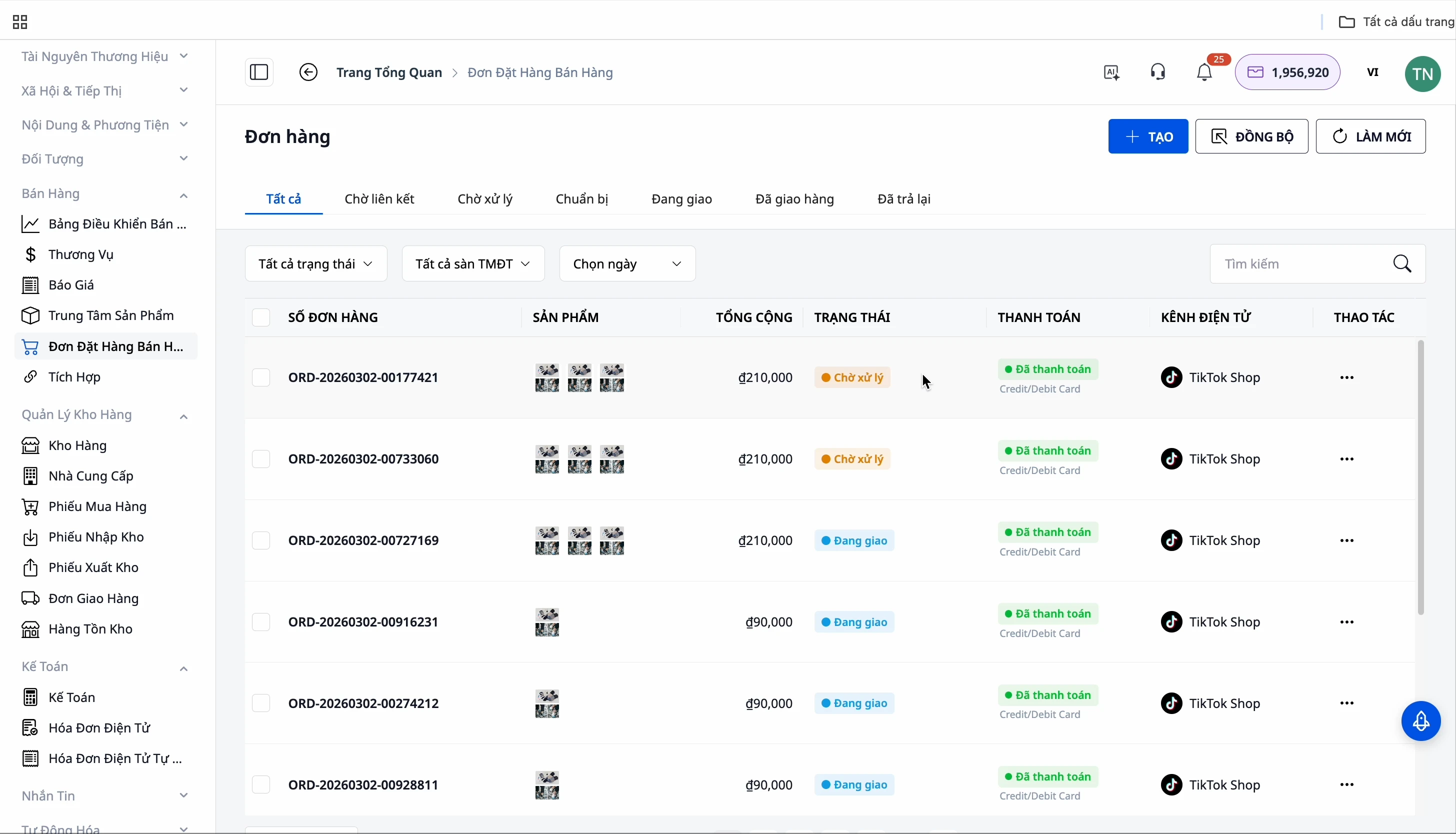
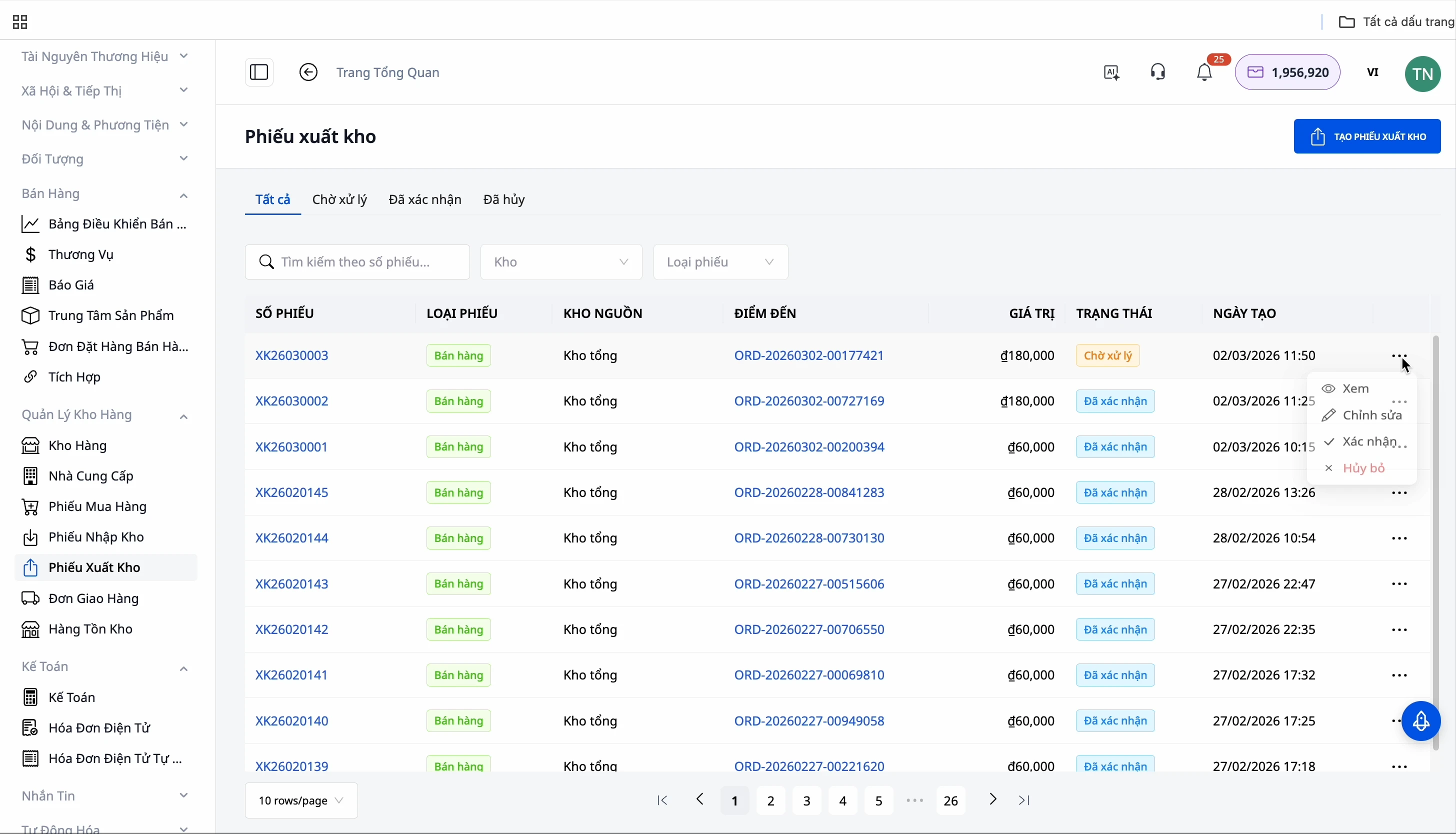
After the order is confirmed and moved to "In Transit" status, the system will automatically generate a shipping order. By confirming the shipping order, the system will automatically create an electronic invoice.
You can check the automatically generated invoice in the "Electronic Invoices" section of the system. All information regarding products, quantities, and values is accurately filled in from the original order.
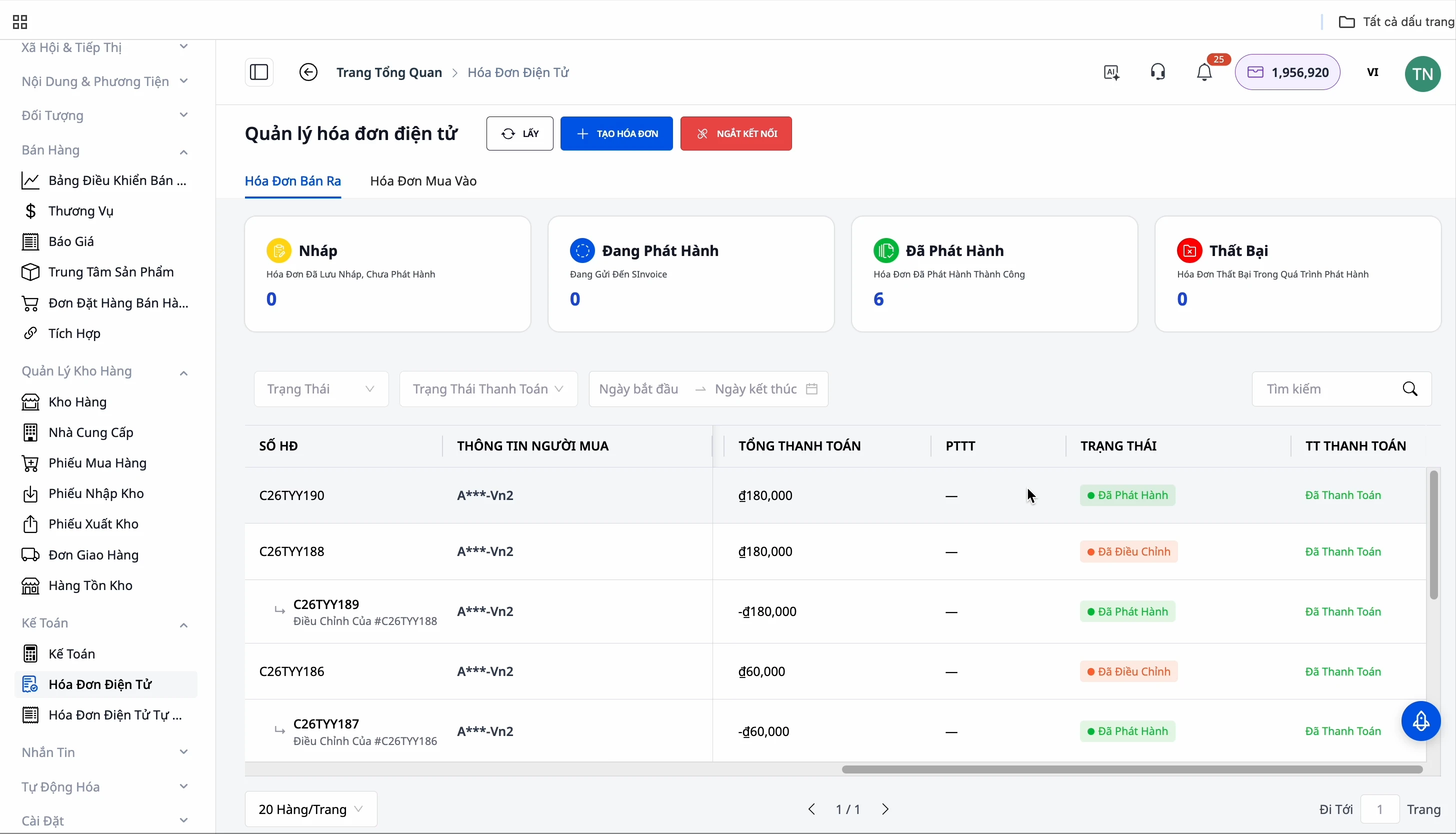
Step 4: Handling Adjustment Invoices for Returns
In case of customer returns, the adjustment invoice process is also fully automated. Simply re-enter the returned quantity of products into inventory and confirm, and GTG CRM will automatically create an adjustment invoice for you.
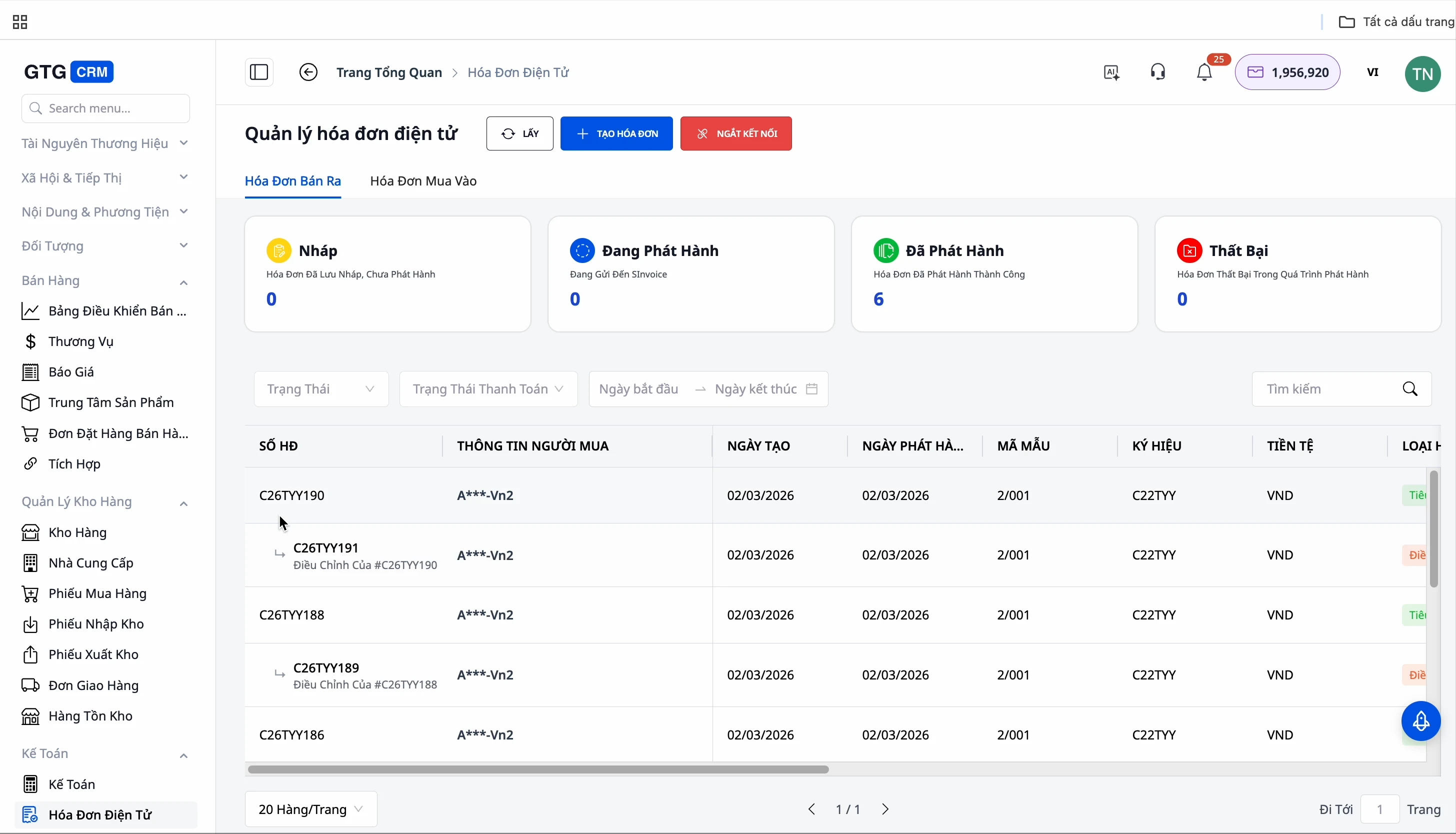
Prerequisites: An adjustment invoice can only be created if the original invoice has already been issued. If the original invoice is still a draft, you need to issue the original invoice first.
Benefits of Using This Feature
- Significant Time Savings: Instead of manually entering information for each order, simply confirm shipment and the system handles everything automatically.
- Absolute Accuracy: Invoice information is taken directly from actual orders, virtually eliminating errors.
- Flexible Handling of Special Cases: Automatic adjustment invoices quickly resolve customer return situations.
- Focus on Sales: No more worrying about the administrative task of issuing invoices.
- Easy Legal Compliance: Ensures full invoice issuance according to new regulations.
Important Notes
- Avoid enabling the automatic invoice generation feature on GTG CRM if your e-commerce platform is already set up for automatic invoicing, to prevent duplicate invoices.
- Adjustment invoices can only be generated after the original invoice has been officially issued.
- Carefully check the invoice template and serial number when setting up for the first time.
Ready to try this feature for your business for free?
Try for Free

