

The GTG CRM's CRM Module was created to thoroughly solve that problem. This is the "heart" of the system, where businesses can store, care for, and manage customers from A to Z. The module includes 4 main sections: Contacts, Companies, Tasks, Invoices, and Orders.
Contacts
This section helps businesses manage individual customers in detail, from basic information to advanced behavior.
You can manage:
- Basic information: Name, email, phone number, avatar.
- Contact
- Customer care status: Lead Status, Lifecycle Stage, Owner.
- Activities & behavior: creation date, last contact date, source (Facebook, Landing page…).
- Custom information: products purchased, event dates, specific needs…
Companies
GTG CRM not only manages individual customers but also stores company-level data - crucial for B2B.
Key information:
- Company name, domain, short description, industry.
- Annual revenue, number of employees.
- Geography: city, postal code, region, time zone.
- LinkedIn connections, manager within the system.
- Creation date, last activity, lead status.
Tasks
All customer-related tasks can be assigned and tracked directly within the CRM.
The task list displays:
- Task title
- Type (To-do, Call, Meeting…)
- Related entity (Contact/Company)
- Deadline, priority, assigned person
- Status (To-do, In Progress, Cancelled, Completed…)
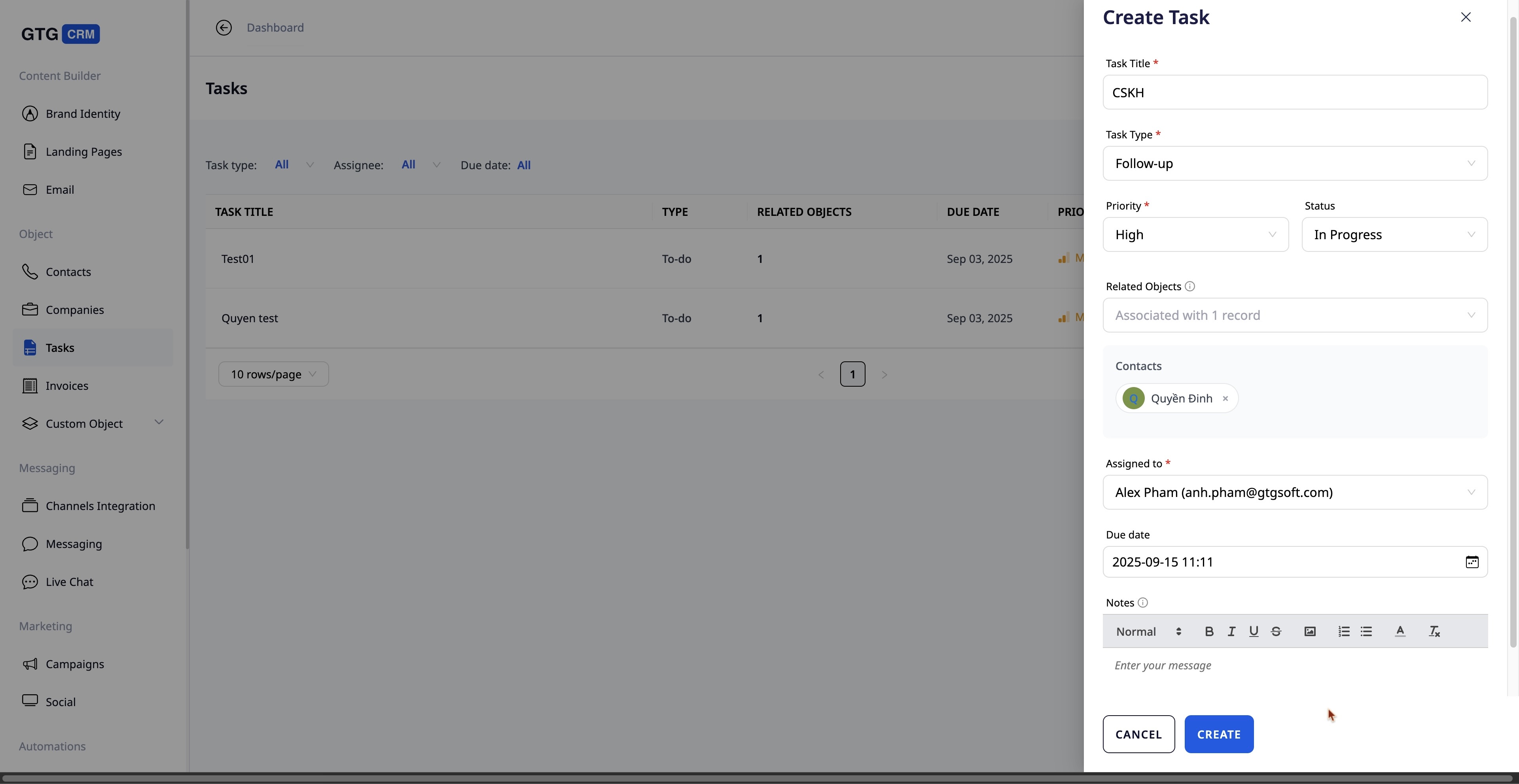
Easily create tasks for team members
Invoices
The CRM Module also integrates revenue and accounts receivable management features.
Each invoice stores:
- Invoice number, product type, product list.
- Related customer, creation date.
- Total amount, currency type, payment status.
- Recipient information: name, phone number, address.
Call Center - The dialer within CRM
A notable differentiator is that GTG CRM integrates the Call Center directly into the CRM Module.
- Direct phone number integration: Businesses can connect their hotline numbers to the system, making and receiving calls directly within the CRM.
- Agent allocation: Calls can be assigned to individual staff members, ensuring no customer is missed.
- Seamless connection with Contacts & Companies: When a customer calls, the system automatically displays their contact profile, allowing staff to understand their information before the conversation.
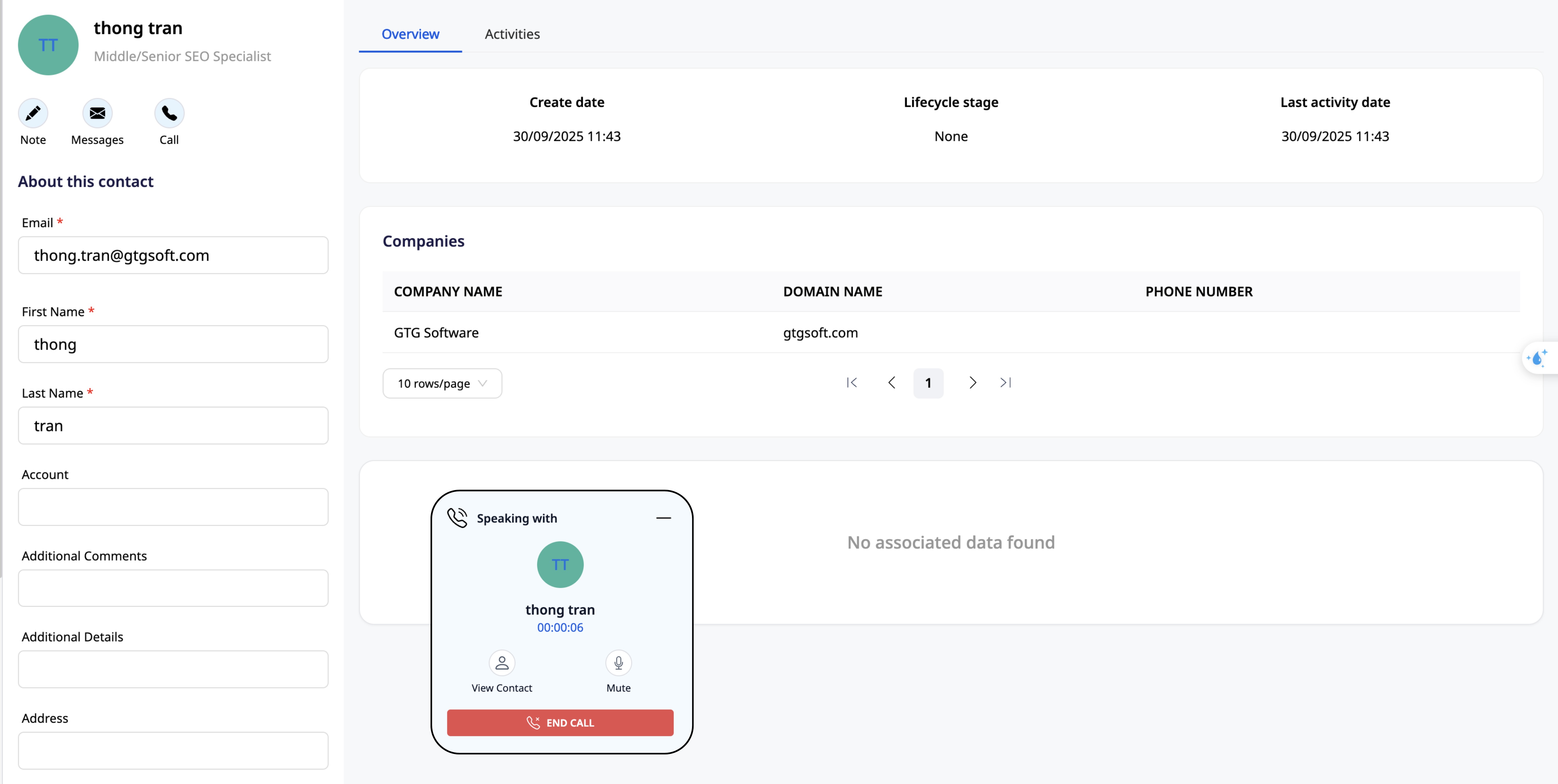
The call center is right inside the CRM
As a result, the Call Center is not just a communication channel but also a professional customer care tool, minimizing the risk of missed opportunities.
Custom Objects
Not every business stops at Contacts, Companies, Tasks, and Invoices. Each industry has its own specifics: Spas need to manage treatment services, Real Estate needs to manage project listings, and Training Centers need to manage courses. This is precisely why GTG CRM offers Custom Objects - an extension feature that allows businesses to create their own data tables based on their needs.
For example: A spa uses the Landing Page Builder to create a page introducing beauty services. When a customer books an appointment through the integrated form, all booking information is immediately saved in the custom object Spa Services. Here, the business can fully track:
- Service Name
- Category
- Creation date, last updated date
- Price
- Duration & detailed description
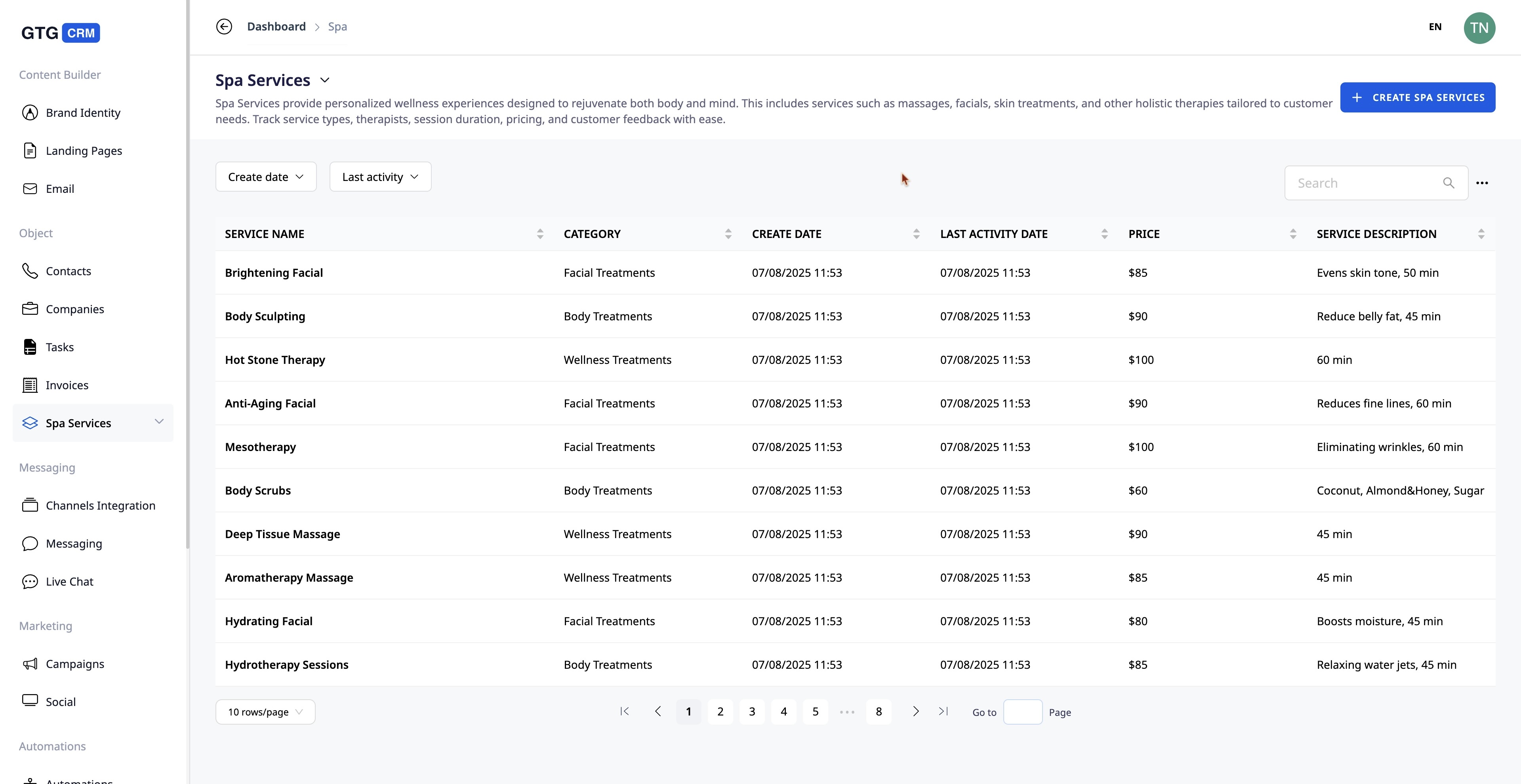
Consolidated customer data management
This helps spa owners manage and schedule appointments efficiently, while also seamlessly connecting with other GTG CRM modules such as Messaging (for automatic confirmation/reminder messages) or Invoices (to create invoices immediately after the service).
Conclusion
With its 4 core components - Contacts, Companies, Tasks, and Invoices - the GTG CRM's CRM Module provides SMEs with a comprehensive yet streamlined customer management tool. Small businesses can detail each customer, manage B2B partners, assign tasks transparently, and track revenue directly. All encapsulated in a single, easy-to-use platform optimized for growth.
Ready to try this feature for free for your business?
Try for free

