Many online sellers think that once they have their own sales website, everything is done. In reality, a website only helps customers find products and make their first purchase. Without a way to maintain connection, most customers will buy once and then forget about you. Email marketing is a tool that helps sellers re-engage with existing customers, remind them to buy again, and make good use of the data already available from the website. The cost of reselling to people who are already familiar with the brand is much lower than constantly searching for new customers.

This article is for sellers who already have their own website or are building off-platform sales channels, but haven't yet leveraged email as a channel for nurturing existing customers. We'll explore why email is still very useful, when to use it, and how to connect email to your website through CRM to create a systematic customer care process.
Websites help sell products, emails help retain customers.
When sellers transition from selling on marketplaces to having their own website, the focus is largely on optimizing product pages, improving the shopping experience, and running ads to attract customers. These are important steps, but they are not enough.
The problem is this: after a customer makes a purchase or leaves their contact information, if the seller doesn't have a way to maintain contact, the customer will easily forget the brand. They might go back to a competitor simply because when they need to buy again, they remember someone else or simply no longer remember the seller.
Email marketing helps sellers proactively maintain connections with people who are already familiar with their brand. Instead of waiting for customers to remember and return, sellers can send post-purchase emails, reminders to repurchase at the right time, or introduce new products tailored to specific customer groups. This is not spam, but a strategic way to nurture existing customers.
When should sellers start using email marketing?
Email marketing isn't always necessary from the start. If a seller is still testing a product, doesn't have a stable order base, or doesn't yet have customer data, then building an email system might not be essential.
However, once sellers have a stable online store and start collecting customer data from sources such as orders, contact forms, seller landing pages, or promotions, that's when they should consider email marketing.
Here are some signs that indicate a seller should start using email:
- Have received 50 or more orders or have a list of customers who have previously interacted with the brand.
- Some customers buy once but never come back for a second purchase.
- Some customers have left their information on the website or landing page but haven't finalized their order yet.
- The goal is to introduce new products or promotions to the right people who are interested, rather than running widespread advertisements.
- The goal is to increase repeat purchases from existing customers instead of focusing solely on acquiring new customers.
If sellers recognize one or more of the points above, email marketing will be a useful tool.
Essential email groups that sellers should have.
When starting with email marketing, sellers don't need to overcomplicate things. Just focus on a few basic email groups that are effective in nurturing existing customers and reminding them to make repeat purchases.
Welcome or confirmation email
When customers leave their information on a website, contact form, or sign up for a newsletter, a welcome or confirmation email lets them know their information has been received. This is also an opportunity to briefly introduce the brand and what customers can expect.
Post-purchase email
This is the most important email. After a customer makes a purchase, a thank-you email with order information creates a professional impression. If possible, sellers should also send an email with product usage instructions or ask for feedback after a suitable period of time.
Email reminders for returning customers.
After a period of time without a customer returning to make a purchase, the seller can send a gentle reminder email. For example, if the customer previously purchased consumable products such as cosmetics, supplements, or stationery, sending a reminder email after 30 or 60 days is reasonable.
Email introducing new products or relevant offers.
When launching a new product or promotion, instead of sending it to everyone, sellers should send it to groups of customers who are highly likely to be interested. For example, customers who have previously bought t-shirts might be interested in the new design, while customers who have previously bought athletic shoes might be interested in running accessories.
Follow up with customers who showed interest but didn't make a purchase via email.
Some customers visit the website, view products, and may add items to their cart but don't complete the order. If they have left their email address, the seller can send a reminder email or ask if they need any assistance.
Useful email content
In addition to sales emails, sellers can also send helpful content such as product usage tips, customer stories, or industry trends. This helps maintain connection without focusing too much on selling.
All of these email groups have one thing in common: they help sellers proactively maintain contact with customers instead of just waiting for customers to return on their own.
The relationship between websites, CRM, and email marketing.
Many sellers think that simply having an email list is enough. In reality, without a proper system for storing and managing customer data, email marketing will struggle to be effective.
This is where CRM for sellers becomes crucial. CRM helps store customer information from the website, segment customers by behavior or characteristics, and connect with the email system to send the right content to the right people.
The actual process might unfold as follows:
Customers visit the website or landing page, leave their information, or make a purchase. This data is stored in the CRM. Based on customer actions, the system automatically groups them into appropriate segments, for example, customers who have purchased, customers who left their information but haven't bought, or customers who have purchased but haven't returned after a while. Sellers can then send emails tailored to each group, for example, post-purchase emails for new customers, reminder emails for returning customers, or promotional emails for customers who have shown interest but haven't finalized their purchase.
With email automation integrated into a CRM system, sellers no longer need to manually send emails to each individual. The system automatically sends emails based on the actions or status of each contact. For example, when a customer makes a purchase, the system automatically sends a thank-you email and an instruction email a few days later. If the customer doesn't return after 30 days, the system automatically sends a reminder email to make a repeat purchase.
Thanks to this connection, email marketing becomes more contextual and personalized. Customers don't feel like they're being spammed, but rather feel they're being cared for at the right time.
Basic email flow for customer follow-up
A simple yet effective email flow can help sellers maintain a connection with customers from their first purchase to subsequent purchases.
Flow for new customers:
Immediately after the customer completes their order, send an order confirmation email with shipping information. After 3-5 days, send an email asking if the customer has received the goods, if the product is satisfactory, and if they have any questions or need assistance. After 15-20 days, send an email with product usage instructions or related tips. After 30-45 days, send an email introducing additional products or special offers to encourage repeat purchases.
Flow for customers who have shown interest but haven't purchased yet:
When customers leave their information on the landing page or contact form, send a welcome email with a brief introduction to the brand and featured products. After 2-3 days, send an email with more detailed information about products the customer might be interested in. After 7 days, if the customer hasn't made a purchase, send an email asking if they need any assistance or offering a small discount to encourage their first purchase.
Flow for returning customers:
After 30-60 days from their last purchase, send a gentle reminder email with a new product or suitable offer. If the customer still hasn't responded after 15 days, email them asking why they haven't returned and what further assistance you can provide.
These flows don't need to be complicated. The important thing is that they help sellers maintain connections systematically instead of sending random emails or forgetting about old customers.
Practical example: A cosmetics shop has a website but lacks effective customer service.
An organic cosmetics shop had its own website and ran quite effective Facebook ads. They received around 100 orders per month, but most customers only bought once and never returned. The shop owner realized they were spending a lot of money on advertising to find new customers, while existing customers were being neglected.
The shop decided to start using email marketing to re-engage existing customers. First, they saved all customer information from orders into a simple CRM system. Then, they set up an automated email sequence as follows:
Immediately after a customer makes a purchase, send a thank-you email with product usage instructions. After 10 days, send an email asking for feedback and recommending suitable complementary products. After 30 days, send a reminder email with a small discount for the second purchase.
With this approach, the shop doesn't need to spend extra money on advertising but still maintains a connection with existing customers. Some customers start returning for repeat purchases. They don't need to remember the shop; they are reminded of it at the right time. The cost of reselling to existing customers is clearly much lower than constantly searching for new customers through advertising.
This isn't a miracle story. It simply means the shop has leveraged its existing customer data and used email as a tool for nurturing existing customers instead of focusing solely on acquiring new ones.
Compare sellers who only have a website and sellers who have a website and email.
To clearly see the difference, we can compare the two situations.
Seller only has a website:
Customers visit the website, view products, make purchases, or leave their information. However, if there is no further action from the seller, the customer will gradually forget the brand. When they need to buy again, they may turn to competitors or forget about the seller altogether. Sellers have to constantly run ads to attract new customers, which increases costs but results in a low return rate.
The seller has a website and email marketing system:
Customers visit the website, make purchases, or leave their information. This data is stored in the CRM. Afterward, customers receive thank-you emails, usage instructions, repurchase reminders, or emails introducing new products. Customers feel valued and are more likely to return for repeat purchases. Sellers continue to run ads to find new customers, but simultaneously leverage existing customer data to increase repeat purchases without incurring significant additional costs.
The difference lies in whether or not there is a process for maintaining contact with customers after the initial interaction.
The role of automation in email marketing
If sellers have to manually send emails to each customer, it will be very time-consuming and difficult to maintain. This is where email automation comes in handy.
Automation helps sellers set up automated email scenarios based on customer actions or status. For example, when a customer makes a purchase, the system automatically sends a thank-you email. After 10 days, it automatically sends an email asking for feedback. After 30 days, it automatically sends an email reminding the customer to make a repeat purchase.
It's important to note that automation doesn't mean sending emails mechanically. Sellers still need to design appropriate email content, choose the right time to send, and monitor effectiveness to make adjustments. Automation simply makes email sending more automatic and systematic.
Here are some basic automation scenarios that sellers can implement:
- Send a welcome email when a customer signs up for our newsletter.
- Send post-purchase emails and new customer care email sequences.
- Send reminder emails to returning customers after a certain period of time.
- Send a birthday or special occasion email if you have this information.
- Send emails introducing new products or special offers to the right customer group.
All of these things can be set up once and run automatically, saving sellers time while maintaining a connection with customers.
Connect your website to your email using GTG CRM.
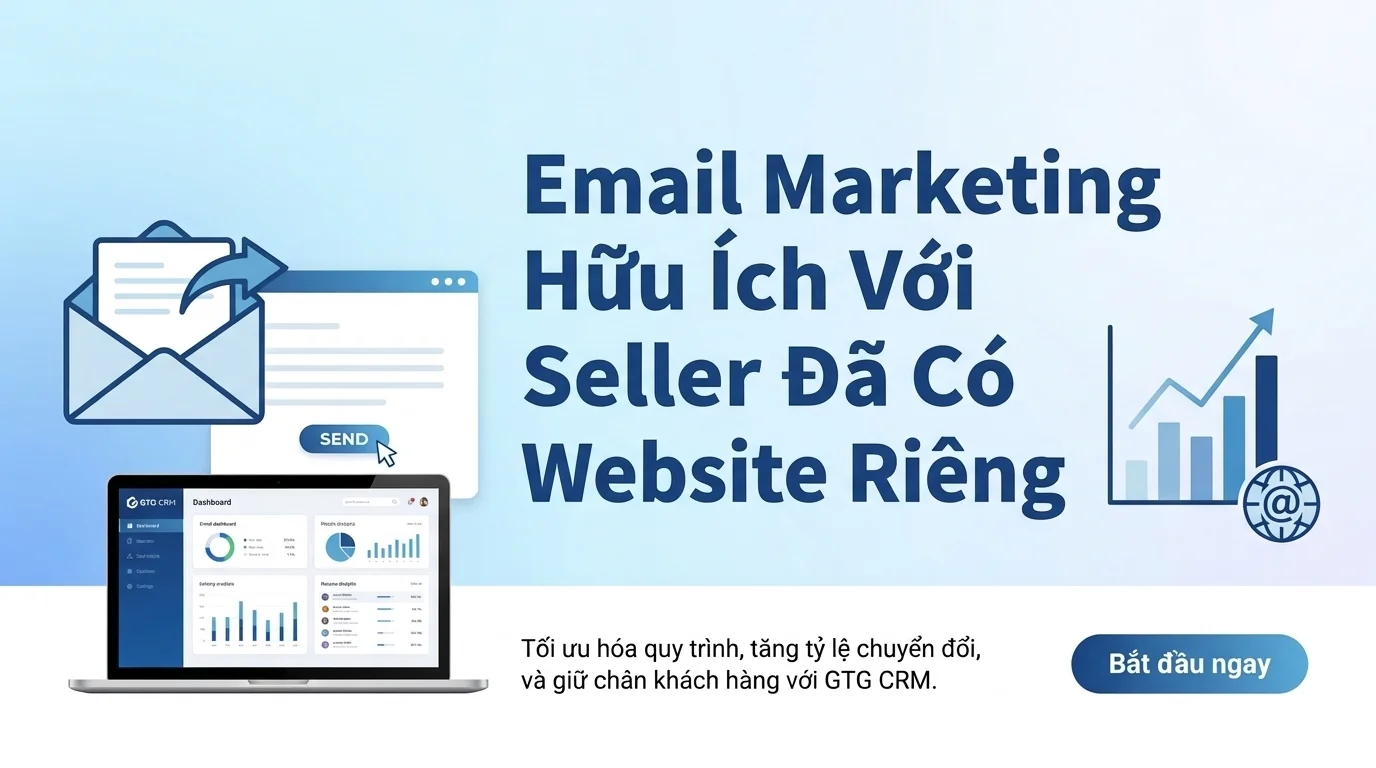
To accomplish the above, sellers need a tool that connects their website, stores customer data, and sends emails systematically. GTG CRM is a suitable solution for online sellers who want to build a professional customer care process for existing customers.
GTG CRM features a drag-and-drop email builder that allows sellers to create emails with text, images, buttons, and basic blocks without needing to know code. Sellers can personalize emails by inserting variables such as customer name, email address, or company name for each contact. When sending emails, sellers can choose to send to all contacts, by filter, segment, or Smart Segment to ensure the content is relevant to each customer group.
GTG CRM also supports sending emails immediately or scheduled, with preview and test sending before release. After sending, sellers can track key metrics such as delivered, opened, clicked, bounced, and unsubscribed to evaluate effectiveness and adjust their strategy.
GTG CRM's strength lies in its integration of email with CRM. Customer data from websites, landing pages, or contact forms is stored in the CRM system. Based on this data, sellers can segment customers and set up email automation tailored to each stage of the customer journey.
In addition, GTG CRM also has AI support for creating email campaigns from descriptions using natural language. Sellers only need to describe the purpose of the email, and the system will suggest suitable content, saving time and making it easier for those who are new to writing email marketing.
With GTG CRM, sellers don't need many separate tools. Everything is connected in one system, from storing customer data, grouping, creating emails to sending and tracking effectively.
Conclude
Email marketing is not an outdated tool. For sellers who already have their own website, email is the best way to re-engage existing customers, remind them of repeat purchases, and leverage existing customer data. Instead of focusing solely on finding new customers, sellers should build a process for maintaining connections with those who are already familiar with their brand.
When combining a sales website, a seller CRM, and email marketing effectively, sellers not only make one-time sales but also have the opportunity to generate repeat purchases at a lower cost. The key is for sellers to start with simple steps, setting up basic email groups and gradually building a systematic process for nurturing existing customers.
If you're looking for a solution to connect your website with email and manage customers effectively, GTG CRM might be the right choice. Start building your existing customer care process today.
Frequently Asked Questions
1. Is email marketing still effective when a seller already has their own website?
Email marketing remains highly effective because it helps sellers maintain connections with customers who are already familiar with the brand. Websites help with initial sales, while emails help nurture existing customers and remind them to make repeat purchases at a much lower cost than acquiring new customers.
2. When should sellers start using email marketing?
Sellers should start when they have customer data from their website, contact forms, or orders. If they have 50 or more orders, or have one-time customers who don't return, that's when they should think about email marketing.
3. What email groups should sellers have?
Sellers should have welcome emails, post-purchase emails, follow-up emails for returning customers, emails introducing new products or offers, and follow-up emails for customers who showed interest but didn't make a purchase. These are basic but effective email groups.
4. What role does CRM play in email marketing?
CRM helps store customer data from websites, segment customers by behavior, and connect with email systems to send the right content to the right people. As a result, email marketing becomes more contextual and personalized.
5. Is email automation necessary?
Automation helps sellers send automated emails based on customer actions or status, saving time and ensuring consistency. Sellers don't need to manually send emails to each person, while still maintaining their existing customer care process.
6. Is GTG CRM suitable for online sellers?
GTG CRM is suitable for sellers who want to connect their website, CRM, and email marketing in one system. The tool has a simple email builder, supports automation, customer segmentation, and basic performance tracking, meeting the needs of online sellers.
Turn what you've just read into tangible results — apply it now with GTG CRM, free.
Apply now