
What you can do after this guide
Open the Knowledge Source section → upload your documents → wait for the system to finish processing → enable the capabilities you want the bot to perform → try asking the bot to test its answers based on the documents. Then your bot will answer customers correctly and perform real tasks.
Preparation
| # | Condition | Why it's needed |
|---|---|---|
| 1 | Log in to GTG CRM, with AI Chatbot enabled for at least one channel. | Knowledge Sources are the configuration of the AI chatbot. |
| 2 | Have business documents ready (policies, price lists, FAQs, guides). | This is the content the bot will rely on to answer. |
| 3 | (Optional) Have order, product, or calendar data for the bot to look up. | To enable order lookup/stock checking/appointment scheduling capabilities. |
Step 1 — Open Knowledge Sources and upload documents
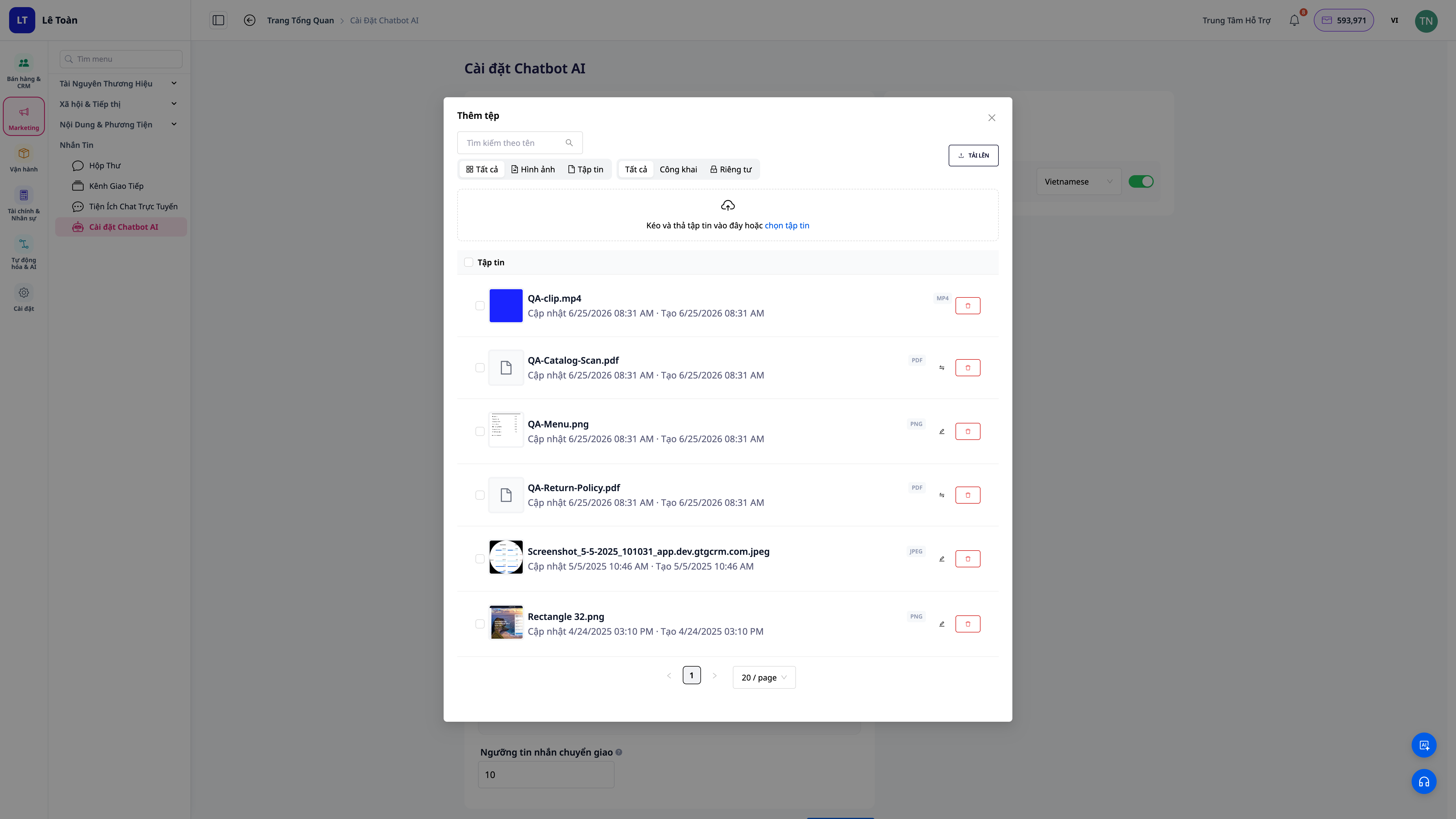
- Go to the AI Chatbot configuration section, open the Knowledge Sources tab.
- Upload your documents (policies, price lists, FAQs, product guides).
✅ Expected Result: Documents appear in the knowledge source list and change to a processing status.
Step 2 — Wait for the system to finish processing
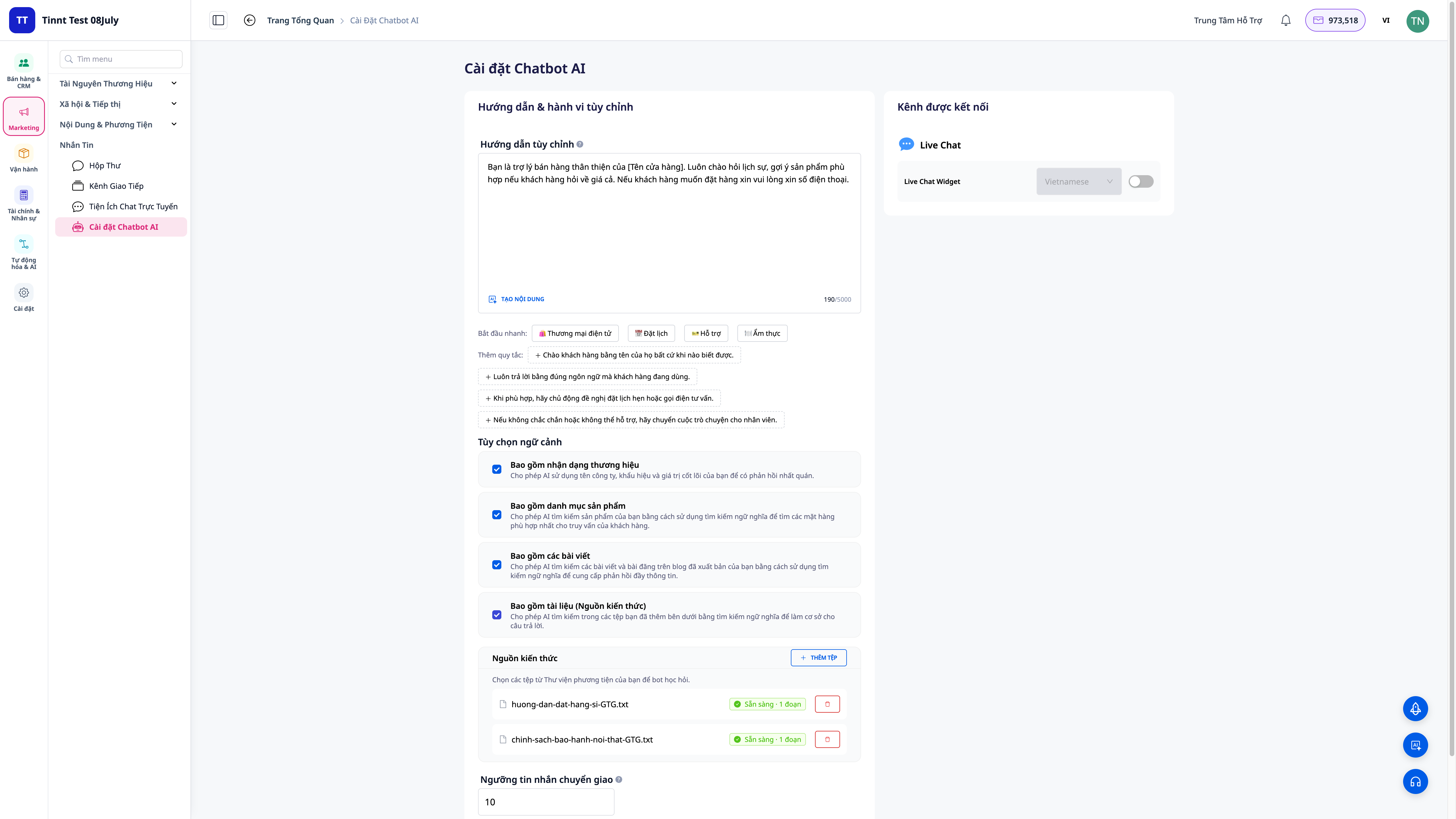
- Wait for the document status to change to ready.
✅ Expected Result: Each document shows its processing status; when finished, the bot can search its content to answer.
Step 3 — Enable the capabilities you want the bot to perform
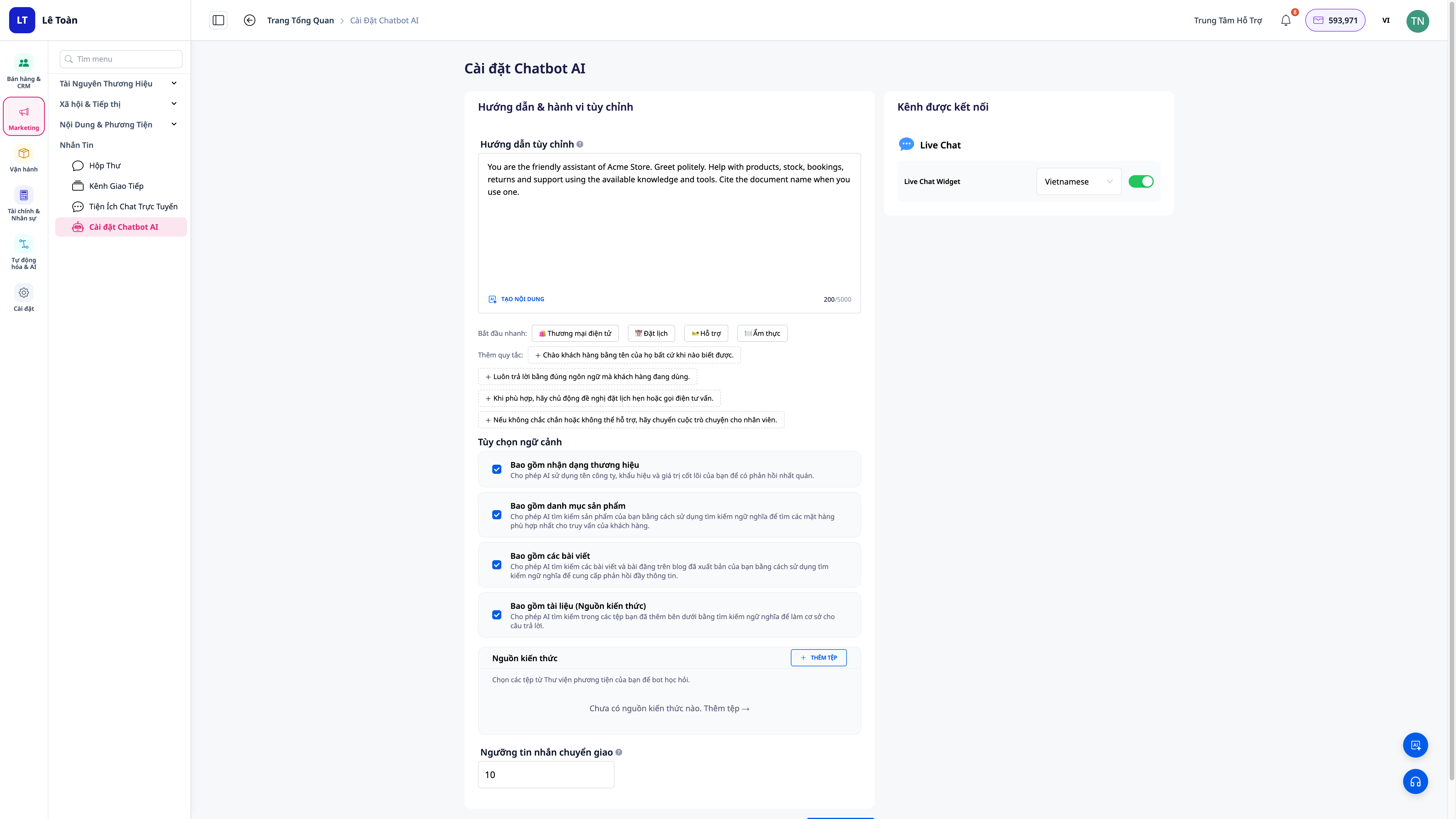
- Open the bot's capability toggle section.
- Enable the capability groups you want: answering from documents, looking up orders, checking stock, creating support tickets, scheduling appointments, etc.
✅ Expected Result: Only the capabilities you enable will function; lookup actions respect your data scope.
Step 4 — Try asking the bot to test
- Open the test chat window and ask a few questions found in the documents (e.g., ask about the return policy).
- Try an action query (e.g., ask about the status of an order).
✅ Expected Result: The bot answers based on the documents you uploaded (accurate to business logic, not making things up); for action queries, the bot looks up and provides real data or performs permitted actions.
Quick Reference Table of Expected Results
| Action | What you will see |
|---|---|
| Upload document | Document appears in the list, processing status |
| Finished processing | Ready status, bot can search |
| Enable capabilities | Only enabled capabilities will function |
| Test query | Bot answers from documents, performs real tasks within limits |
Notes
- The bot answers based on the documents you provide — the more complete the documents, the more accurate the answers. Supplement documents when the bot's answers are insufficient.
- Bot actions (order lookup, stock check, ticket creation, appointment scheduling) respect your data scope and permissions and are designed for privacy protection.
- Monitor the handoff rate to humans — a high handoff rate is a sign that documents need to be supplemented.


