You have a service page on your website, running Google Ads that drive traffic to it — but when you turn off the ads, the page gets almost no traffic. At the same time, the page is written for ads and is heavily focused on sales, which Google doesn't rank for organic search. The result: you remain dependent on your advertising budget.
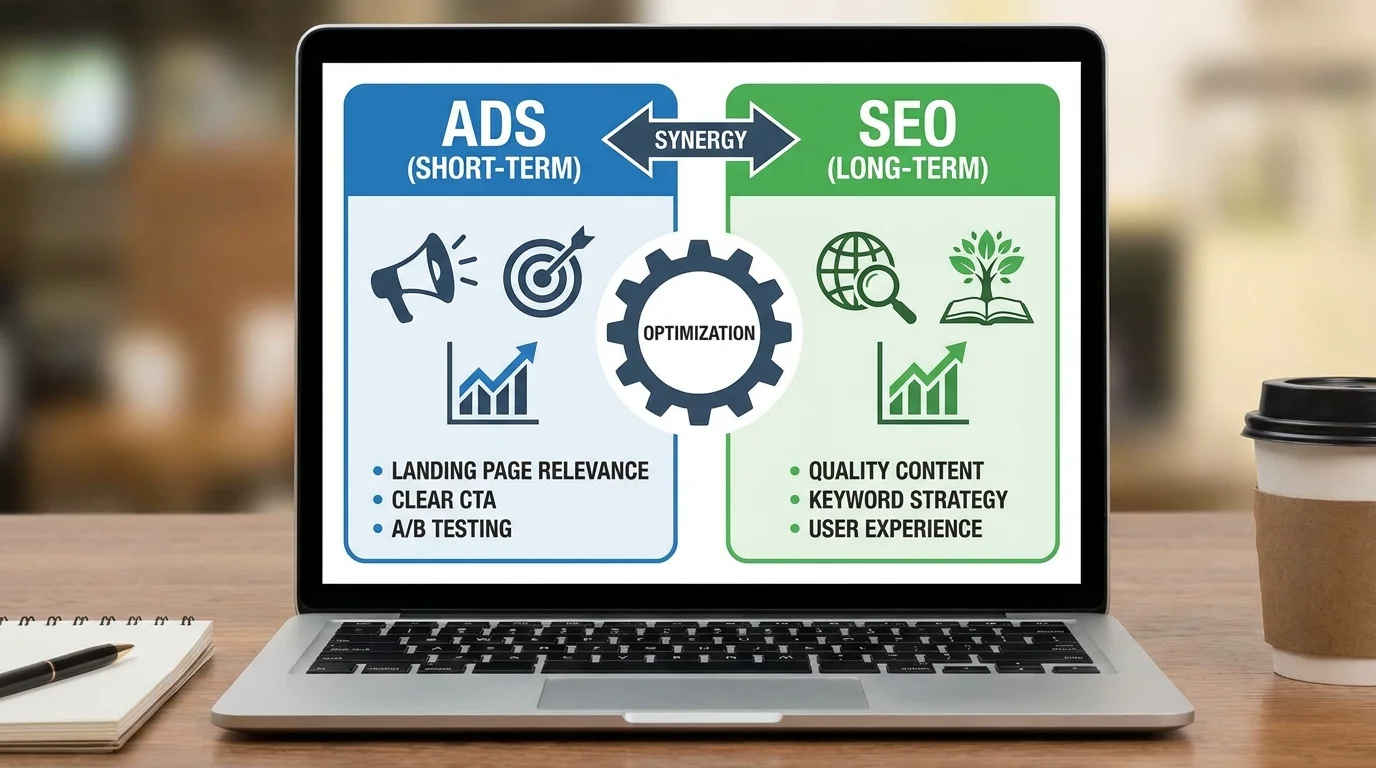
This article guides you on how to optimize your service page for SEO to run effective ads (high conversion rate) and generate long-term organic traffic — without creating two separate pages. And the entire process can be built using GTG CRM Website Builder + Landing Page Builder, without needing a developer.
The problem: What's the difference between an ad page and an SEO page?
| Element | Ads optimization page | SEO-optimized page | The page is good for both. |
|---|---|---|---|
| Target | immediate conversion | Keyword ranking | Conversion + Ranking |
| Content | Short, focused CTAs | Long, detailed, keywords | Details + Clear CTA |
| File | Testimonial, logo | Backlink, domain authority | Both |
| Structure | Linear, 1 action | Multiple headings and internal links | Standard heading structure + interspersed CTAs |
| Speed | Very important | Important | Important for both |
Good news: You don't need to choose one over the other. The structure below works for both ads and SEO.
Standard service page structure (Ads + SEO)
1. Hero Section — Clear for both humans and Google Hero + CTA → Giá trị dịch vụ → Trust/Social Proof → Chi tiết dịch vụ → FAQ → Form Lead → CTA cuối → FooterFor Ads: When a customer clicks on the ad, the hero needs to match the ad content. If the ad says "Free marketing consultation," the hero must repeat that exact offer. Mismatch = high bounce rate = increased ad costs.
For SEO: The H1 title should contain the page's main keyword. For example: "Online marketing consulting services for small and medium-sized businesses".
Combination method:
H1: [Từ khóa chính] — [Lợi ích cụ thể] Ví dụ: "Dịch vụ tư vấn marketing online — Tăng 3x khách hàng trong 90 ngày" Mô tả: 1-2 câu nêu rõ ai phù hợp + kết quả Ví dụ: "Chiến lược marketing toàn diện cho SMB muốn tăng trưởng online mà không cần agency lớn" CTA: "Nhận tư vấn miễn phí" (match với nội dung quảng cáo)In GTG CRM:H1: [Từ khóa chính] — [Lợi ích cụ thể] Ví dụ: "Dịch vụ tư vấn marketing online — Tăng 3x khách hàng trong 90 ngày" Mô tả: 1-2 câu nêu rõ ai phù hợp + kết quả Ví dụ: "Chiến lược marketing toàn diện cho SMB muốn tăng trưởng online mà không cần agency lớn" CTA: "Nhận tư vấn miễn phí" (match với nội dung quảng cáo)
Use the HeroSection — set up an H1 tag containing keywords, a short description, a CTA button, and an illustrative image.
2. Service Value — Explaining "What you will receive"
For Ads: Keep visitors on the page after they read the hero's message — visitors need to see value immediately.
For SEO: The H2 heading should contain secondary keywords. Detailed content helps Google understand what the page is about.
Presentation style:
H2: "Bạn sẽ nhận được gì khi sử dụng dịch vụ [tên dịch vụ]?" - Lợi ích 1: [icon] + [tiêu đề] + [1-2 câu giải thích] - Lợi ích 2: ... - Lợi ích 3: ... - Lợi ích 4: ...In GTG CRM:H2: "Bạn sẽ nhận được gì khi sử dụng dịch vụ [tên dịch vụ]?" - Lợi ích 1: [icon] + [tiêu đề] + [1-2 câu giải thích] - Lợi ích 2: ... - Lợi ích 3: ... - Lợi ích 4: ...
Use the FeatureShowcase section (icon + text layout) or HeadingSection + ParagraphSection for long text content.
3. Social Proof / Trust — Important for both Ads and SEO
For Ads: Reduce bounce, increase trust → increase conversion rate.
For SEO: Google evaluates EEAT (Experience, Expertise, Authority, Trust). Testimonials and case studies are signals of trust.
Required information: - Customer testimonial (real name, photo, job title, company) - Customer/partner logos (5-10 logos) - Specific numbers ("500+ businesses", "4.8/5 rating") - Short case study (optional) — "Company X increased orders by 200% in 3 months"
In GTG CRM: Use TestimonialCards for reviews, ImageListCarousel for partner logos, and BannerSection for case study highlights.
4. Service Details — Key Content for SEO
This is a part that many service pages overlook when optimizing for ads — but it's essential for SEO .
Standard heading structure:
H2: [Tên dịch vụ chính] H3: Gói dịch vụ 1 / Bước 1 H3: Gói dịch vụ 2 / Bước 2 H3: Gói dịch vụ 3 / Bước 3 H2: Quy trình làm việc H3: Bước 1: Tư vấn ban đầu H3: Bước 2: Triển khai H3: Bước 3: Báo cáo kết quả H2: Ai phù hợp với dịch vụ này?Important SEO tips:H2: [Tên dịch vụ chính] H3: Gói dịch vụ 1 / Bước 1 H3: Gói dịch vụ 2 / Bước 2 H3: Gói dịch vụ 3 / Bước 3 H2: Quy trình làm việc H3: Bước 1: Tư vấn ban đầu H3: Bước 2: Triển khai H3: Bước 3: Báo cáo kết quả H2: Ai phù hợp với dịch vụ này?
- Each H2/H3 section should contain a secondary keyword or long-tail keyword. - Each section should be 100-300 words — detailed enough but not rambling. - Use bulleted lists and comparison tables to make it easier for Google to read (and potentially display featured snippets). - Total page content: 1,500-3,000 words is optimal for service page SEO.
In GTG CRM: Use HeadingSection (H2) + ParagraphSection (content) + Element Table (for comparison tables) + Bullet List (for lists). Manage heading hierarchy directly in the editor.
Insert CTAs within the content: After each detailed section, place an inline CTA button. Readers can click it immediately if it's persuasive enough—without having to scroll to the bottom of the page.
5. FAQ — SEO power + answering questions about ads
The FAQ section is the most effective when you want to benefit both your ads and SEO:
For Ads: Address any final questions before customers fill out the form.
For SEO: FAQs are prioritized by Google and displayed as Rich Results (FAQ snippets) in search results — increasing organic CTR by 2-3 times. GTG CRM automatically generates structured JSON-LD data for the FAQ section.
The FAQ should answer: - "Who is this service suitable for?" (keyword: [service] for [target audience]) - "How much does the [service] cost?" (keyword: transactional) - "How long does it take to implement?" - "What do I need to prepare before starting?" - "Is there a guarantee of results?"
In GTG CRM: Use the FAQSection (6 variations). FAQSection1 (accordion) is recommended — it's neat, interactive, and Google can read structured data.
6. Form Lead — Connect to CRM to avoid data loss
Similar to lead generation landing pages, service pages need information collection forms. But there's a difference:
Placement of the form on the service page: - Sidebar sticky (if the page is long) — the form is always visible when scrolled - After the Trust section — the customer has already gained trust - At the bottom of the page before the footer — the last chance
Form for service page: | Field | Reason | |--------|-------| | Name + Phone Number + Email | Required | | Service of Interest (dropdown) | If the page has multiple services | | Estimated Budget (dropdown) | Qualify lead before sales call |
In GTG CRM: Create a form from Forms , embed it into the website using FormSection . Data automatically flows to CRM → Contact (default owner = admin) → trigger automation workflow (Object → Contact → Contact Created) for follow-up and change the owner to the responsible sales representative.
7. Internal Links — Connecting the service page to the entire website
Internal links are an SEO element that ads don't need — but are extremely important for organic ranking:
Internal linking strategy for service pages:
Trang dịch vụ A → Link đến trang dịch vụ liên quan B, C → Link đến blog bài viết chi tiết về vấn đề khách gặp → Link đến case study / portfolio → Link đến trang About (tăng trust) → Link đến trang FAQ tổng hợpHow to place links naturally:Trang dịch vụ A → Link đến trang dịch vụ liên quan B, C → Link đến blog bài viết chi tiết về vấn đề khách gặp → Link đến case study / portfolio → Link đến trang About (tăng trust) → Link đến trang FAQ tổng hợp
- In the content: "Learn more about related services " or "Read the detailed case study here " - At the end of the section: "Related articles: blog post title " - Footer: navigation to other service pages
In GTG CRM: Use the Button element or link text in ParagraphSection to create internal links. The Website Builder automatically creates navigation between pages.
SEO Technical: Check before publishing
After creating the content, check the technical SEO elements:
Meta Tags
In GTG CRM Website Builder, drag the SEO Config element onto the page: - Meta Title: "[Service] - [Company Name] | [Secondary Keyword]" (≤ 60 characters) - Meta Description: Page description with keywords, including CTA (≤ 155 characters) - Open Graph: Image + title for sharing on Facebook/Zalo
Tracking for Ads
GTG CRM comes with the following pre-installed features: - Google Analytics 4 (GA4) — for tracking traffic and behavior - Google Ads Conversion ID — for measuring ad conversions - Google Tag Manager — for advanced tag management
Install it in the website's Settings → Tracking → enter the corresponding ID.
Page load speed
- Image: uploaded via Media Library — the system automatically optimizes the size.
- Avoid using too many heavy sections (large gallery, lots of embedded videos).
- Mobile testing: using Preview in the website builder
URL structure
- Short URL containing keywords:
/dich-vu-marketing-online - No IDs, numbers, or strange characters.
- GTG CRM allows custom URL slugs for each page.
Checklist: Service page standard Ads + SEO
Content: - [ ] H1 contains the main keyword + benefit - [ ] H2/H3 contains secondary keywords, logical structure - [ ] Content of 1,500-3,000 words - [ ] CTA appears at least 3 times (hero, middle, end) - [ ] Testimonial/social proof included - [ ] FAQ ≥ 5 questions (keywords in the questions)
SEO Technical: - [ ] Meta title ≤ 60 characters, contains keywords - [ ] Meta description ≤ 155 characters, contains CTA - [ ] Open Graph image set - [ ] Short URL slug, contains keywords - [ ] Internal links to ≥ 3 other pages - [ ] JSON-LD FAQ structured data (automatically if using FAQSection) - [ ] GA4 + Google Ads conversion tracking installed
Lead Capture: - [ ] CRM form embedded, data tested in CRM - [ ] Automation workflow follow-up enabled - [ ] Thank-you page/message installed
Ads Specific: - [ ] H1 matches ad copy content - [ ] Landing page experience score: "Above Average" (check Google Ads) - [ ] Mobile responsive
Practical example: A "Logo Design" service page for a small agency.
| Section | Content | GTG CRM Section |
|---|---|---|
| Hero | H1: "Professional logo design — Get your logo in 7 days" + "Get a quote" button | HeroSection |
| Value | 4 benefits: 100% custom design, 3 options, unlimited revisions, complete original files. | FeatureShowcase |
| File | 5 testimonials + gallery of designed logos + "500+ logos delivered" | TestimonialCards + Gallery |
| Detail | H2: "3 Logo Design Packages" (Basic/Advanced/Premium Comparison Table), H2: "5-Step Process", H2: "Who is it suitable for?" | HeadingSection + Table + ParagraphSection |
| FAQ | "How long will it take to receive the logo?", "What file type?", "How many revisions are needed?", "What is the price?", "Is there a satisfaction guarantee?" | FAQSection1 |
| Form | Name + Phone Number + Email + "What do you need a logo for?" (dropdown: New Company, Rebrand, Event) | FormSection |
| Final CTA | "Order logo design — Get a first draft in 48 hours" | PromoHero |
Expected results: - Ads: Conversion rate 5-8% (2-3% higher than generic pages) - SEO: After 3-6 months, start generating organic traffic for "professional logo design", "affordable logo design", "logo creation services" - CRM: All leads automatically enter the pipeline, sales follow-up within 24 hours
Conclude
A well-structured SEO service page doesn't need to choose between running ads or doing SEO — with the right structure, a page can serve both purposes. Hero + Trust + Detailed content + FAQ + CRM form + Internal links = a service page that converts ads well and ranks organically in the long term.
GTG CRM lets you build this standard service page using drag and drop — no coding, no developer needed. Website Builder + CRM + Automation Workflow = a system from attracting customers to closing deals in one platform.
Turn what you've just read into tangible results — apply it now with GTG CRM, free.
Apply now