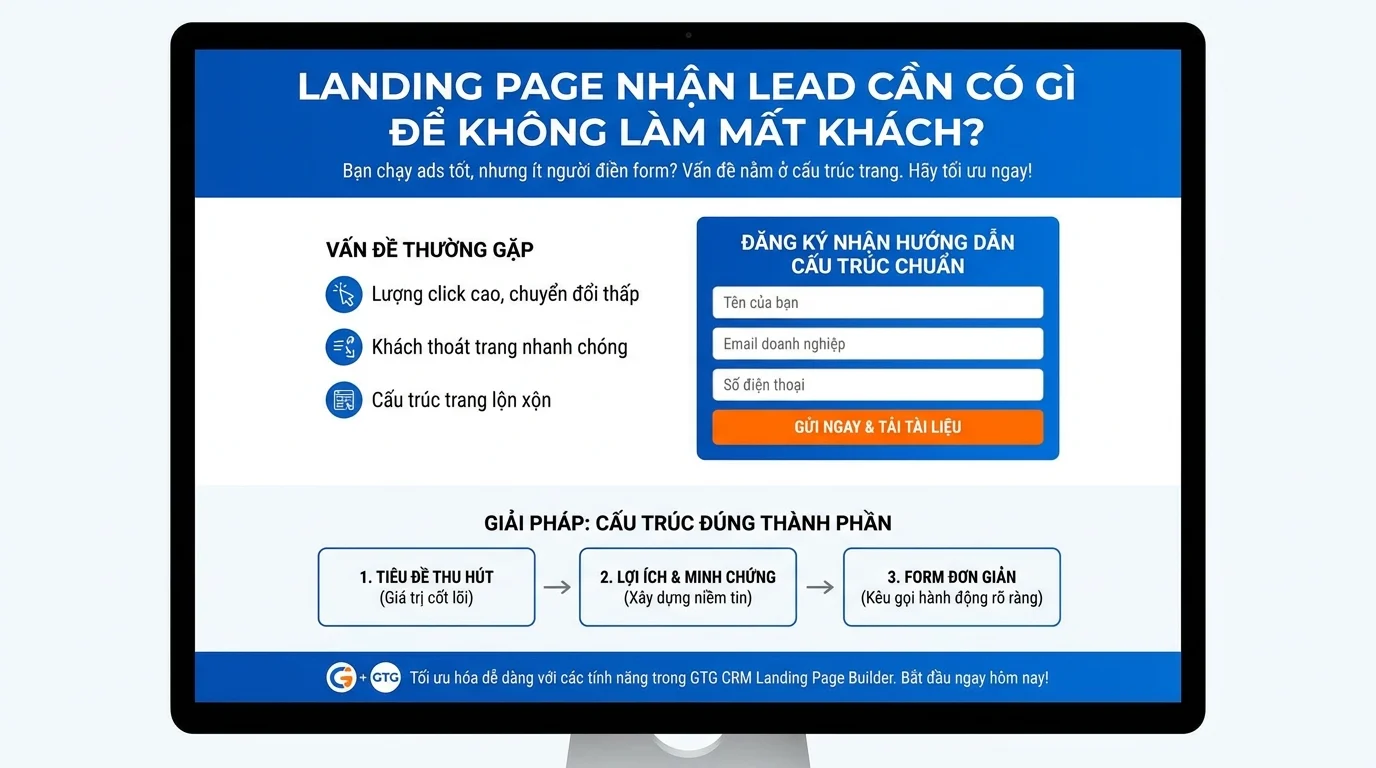
You run ads that drive traffic to your landing page. The clicks are good, the cost is reasonable — but the number of people filling out the form is disappointingly low. Visitors come to your page, scroll for a few seconds, then leave. The problem isn't with your ads, but with your landing page structure.
An effective lead generation landing page doesn't need to be as beautiful as a magazine — but it needs the right components, in the right order. This article will guide you through the specific structure of a standard lead generation landing page so your business doesn't lose customers from the very first step, using the features available in GTG CRM Landing Page Builder.
Standard Lead Generation Landing Page Structure
An effective lead gen landing page requires 7 key components, in this specific order:
Hero → Value → Trust → Form → FAQ → CTA → Thank-you Flow
Below is a detailed breakdown of each section.
1. Hero Section — Address the Problem in 3 Seconds
Visitors to a landing page spend only about 3 seconds deciding whether to stay or leave. The hero section needs to immediately answer the question: "What's in it for me?"
Must-haves: - Compelling Headline (H1) — Focus on benefits, not features. For example: "Get 100 Website Leads Monthly — No Agency Needed" instead of "Comprehensive CRM Solution" - Short Description (1-2 lines) — Briefly explain who it's for and the expected results - Clear CTA Button — "Register for a Free Consultation," "Get a Quote Now" - Relevant Image / Video — Product, dashboard, or an image that evokes results
In GTG CRM: Use the HeroSection or HeroCenterBanner — drag and drop onto the page, then edit the headline + CTA button + background image.
Common Mistakes: - Generic headlines: "Welcome to Our Page" - No CTA button on the hero section — visitors don't know where to click - Stock images unrelated to the product/service
2. Value — Why Should Customers Care?
Immediately below the hero section, present 3-5 specific benefits your customers will receive. Don't talk about yourself — talk about the results they will achieve.
Effective Presentation Methods:
| Instead of Saying | You Should Say |
|---|---|
| "We have 10 years of experience" | "Helped 500+ businesses increase orders by 30%" |
| "Multi-channel integration" | "Manage customers from Facebook, Zalo, Email on one screen" |
| "Modern software" | "Setup in 30 minutes, no developer needed" |
In GTG CRM: Use the FeatureShowcase section — display benefits with icons + headlines + short descriptions. Or use HeadingSection + ParagraphSection for more customizability.
3. Trust — Proof to Make Customers Believe You
New visitors won't provide their personal information to someone they don't trust. The trust section helps eliminate doubts.
Effective Trust Elements: - Customer Testimonials — endorsements from past clients, including name + photo + company - Partner Logos — display logos of clients/brands that have used your service - Specific Numbers — "2,000+ customers," "98% satisfaction," "5 years in operation" - Awards / Certifications — if applicable
In GTG CRM: Use the TestimonialQuote or TestimonialCards sections for testimonials. Use Gallery or ImageListCarousel for partner logos.
Tip: Testimonials with real photos and real names are 3 times more effective than anonymous reviews.
4. Lead Capture Form — Simple and Clear
This is the most crucial part — where visitors decide whether to leave their information or exit.
Best Practices for Lead Gen Forms
Number of Fields: Maximum of 3-4 fields. Each added field reduces the conversion rate by 5-10%.
| Field | Required? | Reason |
|---|---|---|
| Full Name | Yes | Personalize follow-up emails |
| Yes | Primary communication channel | |
| Phone Number | Yes | Quick contact, send Zalo messages |
| Notes / Needs | No | Helps sales understand context, but optional |
Submit Button: Use specific text instead of "Submit." For example: "Get Free Consultation," "Download Quote Now," "Register for Discount."
Form Placement: Place the form in two locations — mid-page (after the trust section) and at the bottom of the page (before the footer). This gives visitors two opportunities to fill it out.
Creating Forms in GTG CRM
- Go to the Forms section → create a new form
- Drag and drop fields: First Name, Phone, Email
- Each field automatically maps to its corresponding CRM field
- Enable the GDPR consent checkbox if needed
- Configure the Success message or Redirect URL after submission
- Embed the form on your landing page using the FormSection section
Automatic Security: When a visitor submits, the system automatically checks for honeypots (bot blocking), renders tokens (anti-spam), and domain allowlisting — you don't need to install additional CAPTCHA.
Data Directly to CRM: Visitor fills out the form → information automatically creates/updates a contact in CRM → Contacts → triggers an automation workflow (if set up).
5. FAQ — Address Remaining Doubts
If visitors reach this point but haven't filled out the form, they likely have lingering questions. The FAQ section helps answer common queries:
- "Who is this service suitable for?"
- "What is the cost?"
- "How long until I see results?"
- "Is my data secure?"
- "Will I receive support after purchase?"
In GTG CRM: Use the FAQSection (with 6 different variations: accordion, 2 columns, inline...). FAQs are displayed interactively — click to expand/collapse answers.
SEO Bonus: An FAQ section with standard structure will automatically generate JSON-LD structured data — Google can display the questions and answers directly in search results.
6. Final CTA — A Second Chance
At the bottom of the page, include another strong CTA block for visitors who have read the entire page but haven't taken action:
- Reiterate the main benefit (1 line)
- Large, prominent CTA button
- Optionally include a "limited-time offer" or "only X slots remaining" to create urgency
In GTG CRM: Use the PromoHero or BannerSection with a CTA button linking to an anchor link of the form above.
7. Thank-you Flow — Don't Abandon Leads After Form Submission
Many landing pages stop at "Thank you for registering" — and then nothing else happens. Visitors wait, no one contacts them, and they forget about it.
A Standard Thank-you Flow Should Include:
| Timing | Action | Setup Method |
|---|---|---|
| Immediately | Display a thank-you page + information on when they will be contacted | Configure Redirect URL or Success message in the form |
| 0-5 minutes | Send a confirmation email + promised resources/offers | Automation: trigger Object → Contact → Contact Created → Send Email |
| 0-5 minutes | Assign owner to the sales representative | Automation: Assign Contact (default owner = admin) |
| 1-24 hours | Sales representative calls/messages via Zalo for consultation | Automation: create a task reminder for the staff |
| 3-7 days | If no response, send a second follow-up email | Automation: Wait → Email |
In GTG CRM: The entire thank-you flow is set up using Automation Workflows. The trigger is Object → Contact → Contact Created → a series of automatic actions. When a visitor fills out the form, the system automatically creates a contact and assigns it to the workspace admin — the workflow will then reassign the owner to the responsible sales rep if needed.
Quick Checklist: Review Your LP Before Running Ads
Before launching your ads, ensure your landing page is complete:
- [ ] Hero section has a benefit-driven headline + CTA button
- [ ] At least 3 specific benefits are listed (value section)
- [ ] Testimonials or trust proof are included
- [ ] Form has ≤ 4 fields, with a clear submit button
- [ ] Form has been tested — data correctly enters CRM
- [ ] FAQ section includes ≥ 3 questions
- [ ] There is a CTA at the bottom of the page
- [ ] Automation workflow for the thank-you flow is enabled
- [ ] Page loads quickly on mobile (use Preview in GTG CRM)
- [ ] GDPR consent checkbox is enabled (if required)
Real-World Example: LP for Marketing Consulting Services
| Section | Content |
|---|---|
| Hero | "Increase Online Customers 3x — Get a Free Strategy" + "Get a Free Consultation Now" button |
| Value | 3 icons: "Analyze Current Channels," "30-Day Strategy," "Detailed Reports" |
| Trust | 3 testimonials from past clients + logos of 5 served brands |
| Form | Name + Phone + Email + "Monthly Marketing Budget" (dropdown) |
| FAQ | "Which industries are you suitable for?", "How long does it take?", "What are the costs?" |
| Final CTA | "Only accepting 10 clients/month — Register Now" |
| Thank-you | Redirect to a thank-you page → confirmation email → sales call within 24 hours |
Conclusion
A lead generation landing page doesn't need to be complicated — but it does need the right components, in the right order. The Hero → Value → Trust → Form → FAQ → CTA → Thank-you flow structure has been proven effective, and it can all be built with GTG CRM Landing Page Builder by dragging and dropping the available sections.
Most importantly: your lead capture form must connect to your CRM. Without a CRM, customer data is scattered, no one follows up, and your ad spend goes to waste. With GTG CRM, data from your form automatically goes into the CRM and triggers automated nurturing workflows — ensuring you never miss a lead.
Turn what you've just read into real results — apply it with GTG CRM, for free.
Apply Now