You have sales staff, a website, and customers submitting contact forms — but nobody knows which stage that customer is at, who's taking care of them, or when follow-up is needed. The result: leads are missed, sales teams call the same customer repeatedly, or worse — the customer waits 3 days without being contacted and then goes to a competitor.
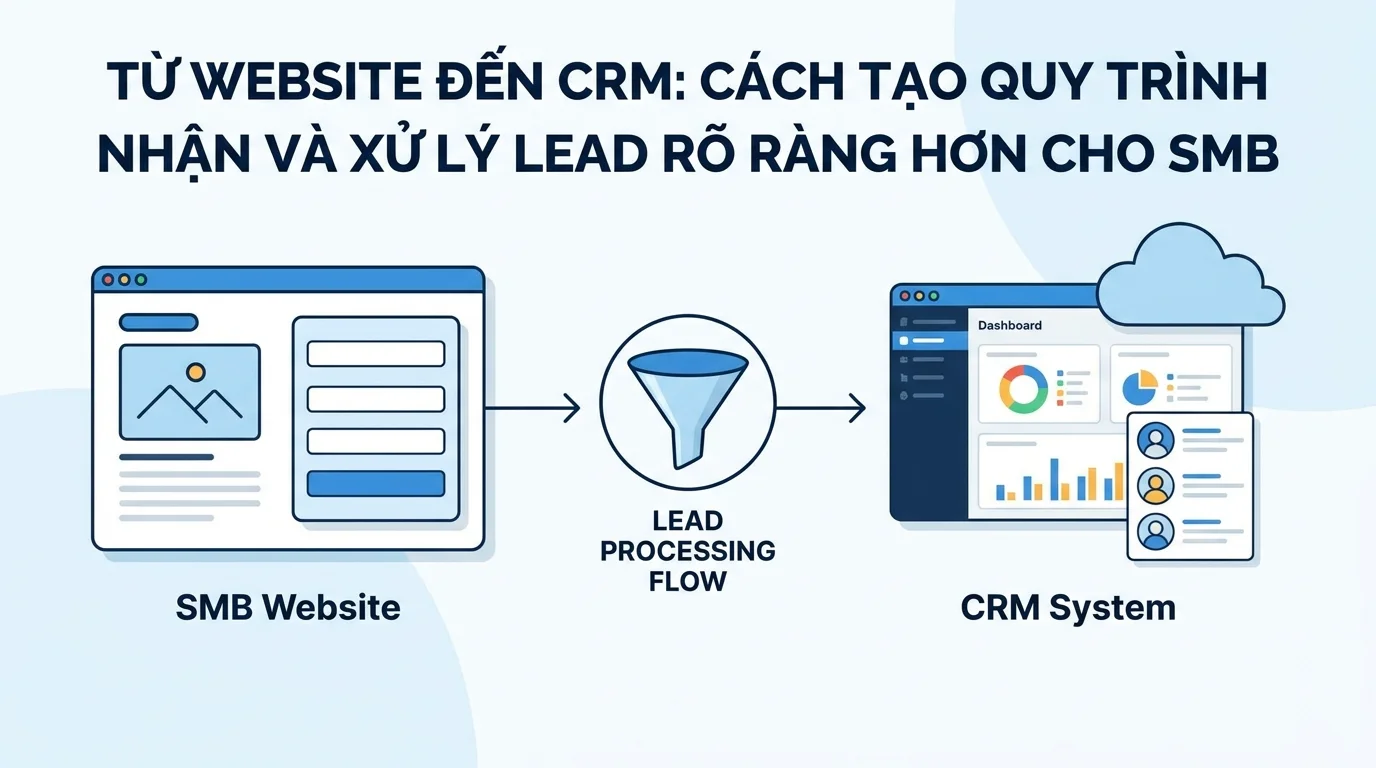
This is the process of taking leads from a website into a CRM that any small business can implement with GTG CRM — clear, accountable, and trackable.
The SMB dilemma: Leads come in, but no one knows who to handle them.
In small companies (5-20 employees), the lead generation process is typically as follows:
- Customers fill out the form on the website.
- Notification emails will be sent to a shared mailbox.
- Whoever reads it first gets to handle it; those who are busy can skip it.
- There is no record of whether a call was made to the customer or what the result was.
- At the end of the month, I don't know how many leads I've processed and how many have been abandoned.
Consequences: - Leads fall into a void — no one takes responsibility - Salespeople call the same customers repeatedly → customers get annoyed - No data to evaluate which salespeople are doing well - Running ads costs money but doesn't measure ROI from leads
Standard process: Form → Routing → CRM → Status → Follow-up → Report
Below are step-by-step setup instructions. Website Form → CRM (Người Liên Hệ, owner = admin) → Workflow đổi owner cho Sale → Pipeline (Thương Vụ) → Follow-up → Báo cáoStep 1: Create a form and connect to CRM.
Create a lead generation form in the Forms section of GTG CRM.
The following fields should be included for SMBs:
| School | Map CRM Field | Purpose |
|---|---|---|
| Company name | Company | Know the scale and industry. |
| Contact person | First Name , Last Name | The sales staff called him by his correct name. |
Email | Send follow-up emails | |
| Phone number | Phone | Call directly |
| Customer service | Custom field (Dropdown) | Routing to the right sales/team |
| Projected budget | Custom field (Dropdown) | Prioritize high-value leads. |
Embed the form into your website using a script tag or iframe. If using a GTG CRM website or landing page , the form will connect automatically.
When a customer submits the form, the data automatically creates a contact in the CRM. The contact will be: - Lifecycle Stage: Lead - Source tag: website (automatically) - All fields from the form have been mapped.
Step 2: Auto-routing — Assigning leads to the right people
This is a step that most SMBs miss. Instead of a generic email asking "whoever is free, please handle this," GTG CRM automatically assigns leads to specific employees.
Settings in Automation → Processes:
Trigger: Object → Contact → Contact Created
(When a customer fills out a form on the website, the system automatically creates a contact in the CRM and assigns the default owner to the admin workspace. The workflow below will change the owner to the sales representative in charge.)
Sample routing flow:
Contact mới được tạo (từ form website) → [Điều kiện] Dịch vụ quan tâm = "Tư vấn Marketing"? Đúng → Assign Contact cho Sale A Sai → [Điều kiện] Dịch vụ quan tâm = "Thiết kế Website"? Đúng → Assign Contact cho Sale B Sai → Giữ owner = admin (Sale Manager xử lý) → Gửi email xác nhận cho khách → Gắn tag "Lead Mới - Cần Xử Lý"Result: When the salesperson opens the contact list, they will see that they are the person in charge.Contact mới được tạo (từ form website) → [Điều kiện] Dịch vụ quan tâm = "Tư vấn Marketing"? Đúng → Assign Contact cho Sale A Sai → [Điều kiện] Dịch vụ quan tâm = "Thiết kế Website"? Đúng → Assign Contact cho Sale B Sai → Giữ owner = admin (Sale Manager xử lý) → Gửi email xác nhận cho khách → Gắn tag "Lead Mới - Cần Xử Lý"
A simpler alternative: If you only have 2-3 salespeople, use a round-robin approach for assigning leads —the system distributes leads evenly among them.
When a salesperson receives a lead, they will see: - Complete information in the CRM (name, phone number, email, services of interest) - The owner is themselves → they know their responsibilities - Lifecycle Stage: Lead → need to contact
Step 3: Create a Pipeline to track the status.
The Contact Person stores customer information, while the Pipeline tracks the sales progress. You need both.
Create a pipeline in CRM → Business:
| Stage | Meaning | Who is responsible? |
|---|---|---|
| New Lead | Just joined, haven't contacted anyone yet. | Sales have been assigned. |
| Contacted | Called/emailed, awaiting response. | large |
| Currently providing consultation. | Interested customers, please send a price quote. | large |
| Quotation Sent | Waiting for the customer's decision. | large |
| Negotiate | Terms are currently being negotiated. | Sales + Manager |
| Won | Sign contract / Place order | → Move to deployment |
| Lost | The customer did not buy. | → List the reasons for improvement |
Each deal has the following key fields: - Deal Name — for example: "ABC Company - 3-Month Marketing Package" - Amount — expected value (for example: 15,000,000 VND) - Close Date — expected closing date - Priority — Low / Medium / High / Urgent - Contact Role — Decision Maker, Influencer, Budget Holder
Connecting workflows: When leads are added to the CRM, automation can automatically create deals within the pipeline:
Step 4: Planned follow-up Contact Created → Assign Contact (đổi owner từ admin sang sale) → Create Deal (stage: "Lead Mới") → Send EmailAfter a lead is assigned and a deal is secured in the pipeline, sales representatives need to follow up. GTG CRM helps ensure no lead is left behind.
Automation reminds sales staff.
Trigger: Deal Stage Changed (entering the "New Lead" stage)
Deal vào stage "Lead Mới" → Nhắc nhở sale: "Liên hệ lead mới trong 24h" → Đợi 24 giờ → [Kiểm tra] Deal vẫn ở stage "Lead Mới"? Đúng → Gửi nhắc nhở lần 2: "Lead chưa được liên hệ!" Sai → Kết thúc (sale đã xử lý) → Đợi thêm 24 giờ → [Kiểm tra] Deal vẫn ở stage "Lead Mới"? Đúng → Thông báo cho ManagerAutomatic follow-up for guestsDeal vào stage "Lead Mới" → Nhắc nhở sale: "Liên hệ lead mới trong 24h" → Đợi 24 giờ → [Kiểm tra] Deal vẫn ở stage "Lead Mới"? Đúng → Gửi nhắc nhở lần 2: "Lead chưa được liên hệ!" Sai → Kết thúc (sale đã xử lý) → Đợi thêm 24 giờ → [Kiểm tra] Deal vẫn ở stage "Lead Mới"? Đúng → Thông báo cho Manager
When the salesperson has contacted the customer but they haven't responded:
Deal chuyển sang "Đã Liên Hệ" → Đợi 3 ngày → Gửi email follow-up lần 1: "Tôi có thể hỗ trợ thêm gì?" → Đợi 5 ngày → Gửi email follow-up lần 2: kèm tài liệu/case study → Đợi 7 ngày → Nếu chưa phản hồi → gắn tag "Cần Follow-up Đặc Biệt" + nhắc nhở saleRecover from a losing deal.Deal chuyển sang "Đã Liên Hệ" → Đợi 3 ngày → Gửi email follow-up lần 1: "Tôi có thể hỗ trợ thêm gì?" → Đợi 5 ngày → Gửi email follow-up lần 2: kèm tài liệu/case study → Đợi 7 ngày → Nếu chưa phản hồi → gắn tag "Cần Follow-up Đặc Biệt" + nhắc nhở sale
Deal chuyển sang "Thua (Lost)" → Ghi lý do thua (sale nhập thủ công) → Đợi 30 ngày → Gửi email "Chúng tôi có chương trình mới phù hợp với bạn" → Đợi 60 ngày → Gửi newsletter thángStep 5: Connect Messaging — Nurturing via Multi-Channel InboxDeal chuyển sang "Thua (Lost)" → Ghi lý do thua (sale nhập thủ công) → Đợi 30 ngày → Gửi email "Chúng tôi có chương trình mới phù hợp với bạn" → Đợi 60 ngày → Gửi newsletter tháng
When a salesperson contacts a lead via email or Zalo, the entire conversation appears in the Unified Inbox .
Benefits for SMBs: - Sales representatives send emails from GTG CRM → emails appear in the contact's timeline (not lost in personal Gmail) - Customer replies → appear in the inbox → sales representatives respond immediately - If a sales representative is on leave, the manager can view the entire conversation history → hand over to someone else - No data loss when an employee leaves
Step 6: Reporting — Knowing where the problem lies
At the end of the week/month, managers need to know:
Pipeline Report (CRM → Deals): - How many new leads are coming in? - How many deals are currently at each stage? - Estimated total deal value (Pipeline Forecast) - Win/Loss Rate - Which sales team is handling the most deals?
Sales Dashboard: - Total revenue over time - Average order value - Top products/services - Comparison with the previous period
Examples of insights from the report: - "80% of leads lose at the Quotation stage → Is the price higher than the market price?" - "Salesperson A has a 40% win rate, Salesperson B only 15% → Salesperson B needs training?" - "Leads from Google Ads have a higher average deal value than Facebook → Allocate budget?"
Real-world example: IT services company (8 employees)
Before using CRM: - Customers fill out forms → emails go to the general inbox → whoever reads it processes the request - It's unclear if the customer has been called yet; two salespeople might call the same customer - At the end of the month, the manager asks, "How many new customers did we have this month?" → No one knows the exact number
After implementing the process: 1. Website form maps 5 fields to CRM (name, phone number, email, service, budget) 2. Workflow routing: lead to "Cloud Services" → Sale A, "Software" → Sale B 3. Pipeline 6 stages: New Lead → Contacted → Consultation → Quotation → Negotiation → Won/Lost 4. Automation reminds sales to contact within 24 hours, follow-up email after 3 days 5. Manager view dashboard: 45 leads/month, 25% win rate, average value 20 million VND/deal
Results: No more missed leads, salespeople know exactly what needs to be done each day, and managers have data to coach.
Conclude
The process of receiving leads from a website into a CRM doesn't need to be complicated — but it needs to be clear : who receives the lead, where its status is, when to follow up, and how to measure it. GTG CRM allows SMBs to build this process with:
- Embedded forms → automatic lead collection
- Automation Workflow → routing + automatic follow-up
- Pipeline → track each deal meticulously.
- Multi-Channel Mailbox → Lead nurturing via email/Zalo in one interface
- Sales Dashboard → Reports for Decision Making
Set it up once, run continuously. No leads will be missed, no sales will be overlooked.
Turn what you've just read into tangible results — apply it now with GTG CRM, free.
Apply now